Linking tables: linked records, lookups, rollups, and formulas
Turn separate tables into a connected model: point rows at another table, pull fields across the link, roll up totals from related rows, and compute values with formulas.
Most real data is relational: deals belong to buyers, tasks belong to projects, invoices belong to accounts. Tables model those relationships with four column types that work together: link (a real relationship to another table), lookup (pull a field across a link), rollup (aggregate the rows that link back), and formula (compute from other columns in the same row). The last three are computed columns: they are derived when the table is read and are read-only on every write path, so nothing can put them out of sync with the data they summarize.
You add all of these from the Columns panel with Add column, choosing the type and then the relationship it needs.
Link columns: a relationship, not an id
A link column points a row at a row in another table. When you create one you pick two things: which table it links to, and which field of that table to show. The display field defaults to the linked table's first text column if you do not choose one, so a link never renders as a raw internal id. In the grid, a linked cell is a chip showing that field; an empty cell shows a clickable "+ link a row" prompt so you can make the first link, and a link whose target row was deleted shows "deleted row" rather than breaking.
To set a link, click the cell and search the target table by name, then pick a row. Behind the scenes the cell stores the target row's id, but everywhere you look you see the chosen field.
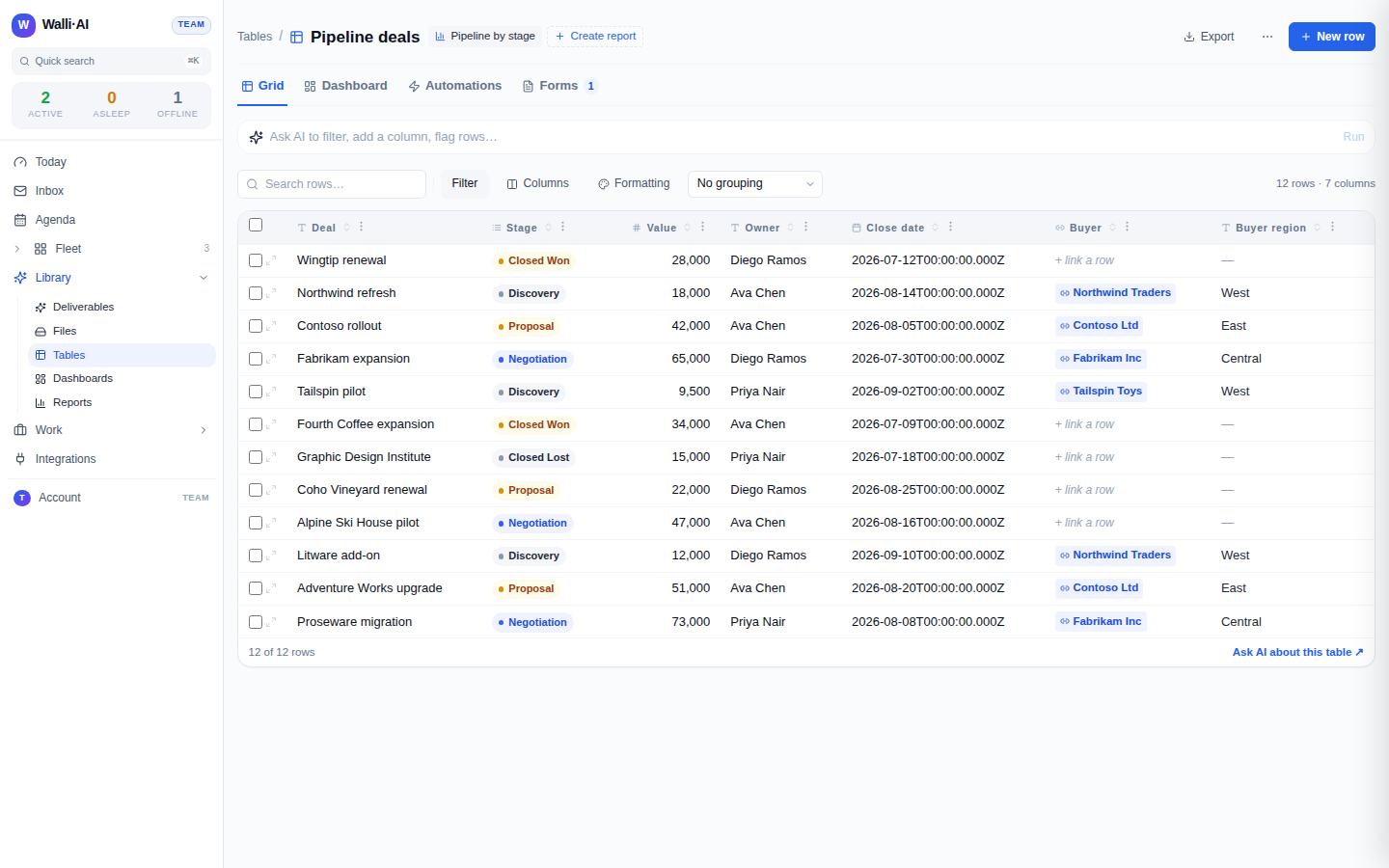
A link column must have a target: a link that points nowhere is refused both in the form and on the server, and you cannot even pick the type until another table exists to link to. The target is always resolved within your own workspace, never across tenants.
Lookups: pull a field across a link
A lookup shows a field from the row on the other end of a link. You configure it by choosing which link to follow (a link column already on this table) and which field of the linked table to display. For example, on a Deals table with a Buyer link, a lookup can surface the buyer's region right next to the deal. The lookup's result type is frozen to the source field's type when you create it, so filtering, sorting, and aggregating treat it correctly (a looked-up number sorts numerically). A lookup is computed at read time and cannot be edited directly: to change it, change the value on the linked row or repoint the link.
Rollups: aggregate the rows that link back
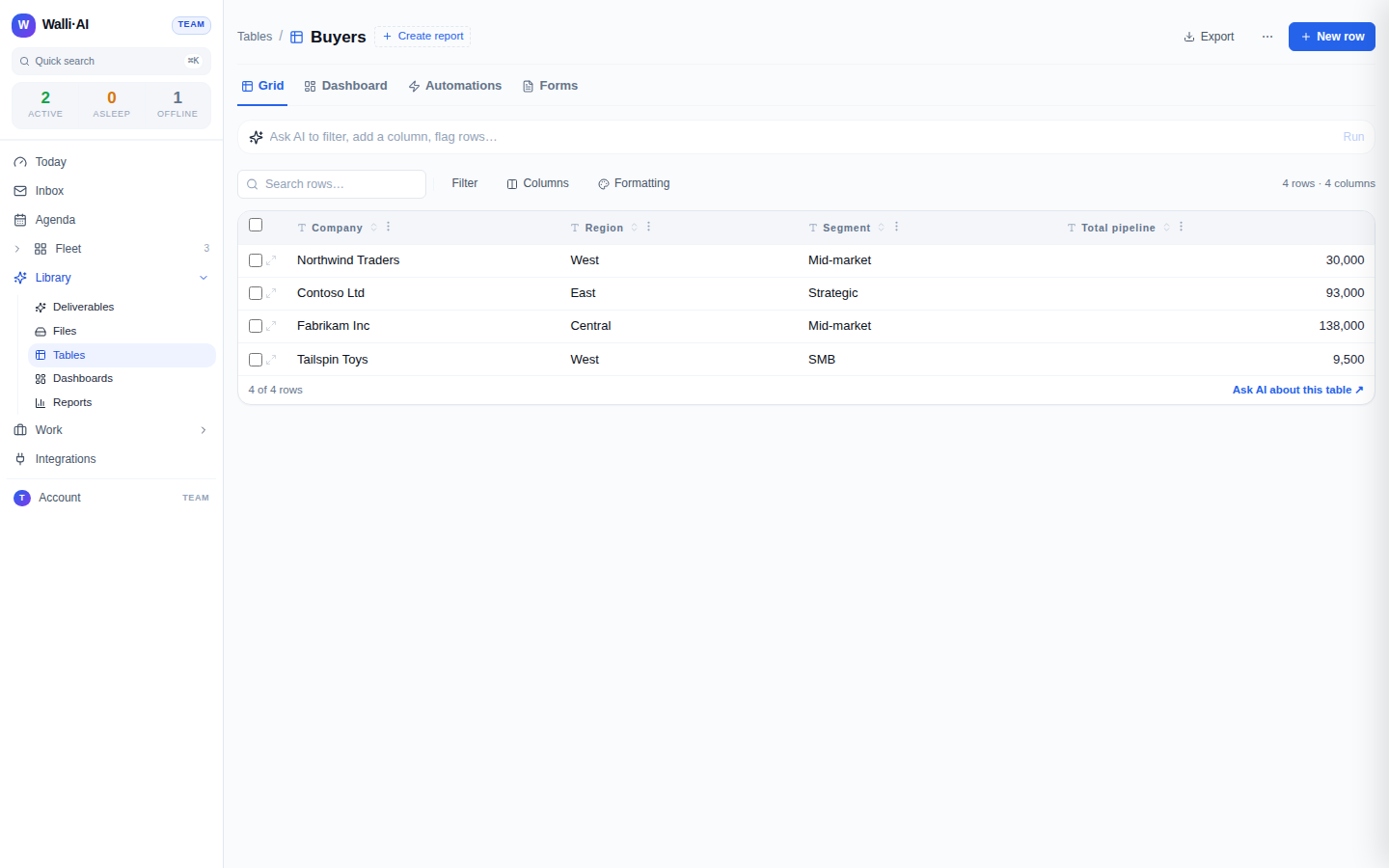
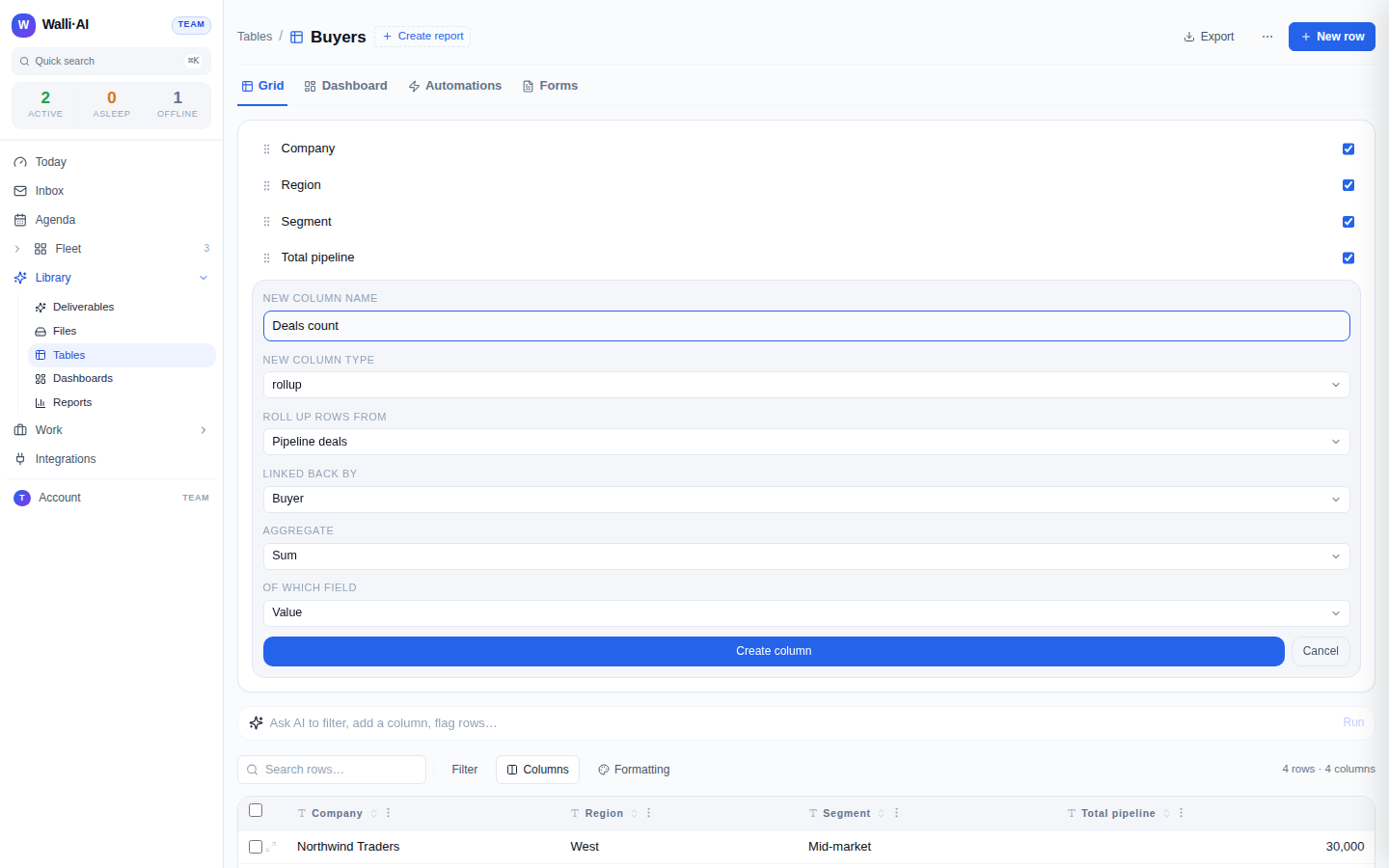
A rollup is the reverse direction of a link. It aggregates the rows on another table that link back to the current row. On a Buyers table, a rollup can total the value of every deal whose Buyer link points at that buyer. To configure one you pick the table to roll up from, the link column on that table that points back here, an aggregate (count, sum, average, min, or max), and, for anything other than count, the number field to aggregate. Count produces a number; sum and average produce numbers; min and max keep the source field's type. Like a lookup, a rollup is computed live and read-only, so it always reflects the current related rows.
The rollup and lookup configuration is guided: the form only offers tables that actually have a link back to this one, and only offers number fields when you pick sum, average, min, or max, so you cannot build a rollup that has nothing to aggregate.
Formulas: compute within a row
A formula computes a value from other columns in the same row. You write it with [Column Name] references, for example [Price] * [Quantity] or IF([Stage] = "Closed Won", [Value], 0), and a picker lets you insert column references so you do not have to type names exactly. The expression is parsed and type-checked on the server, so an error tells you the offending token instead of failing silently. Supported operators include + - * / %, comparisons, and AND OR NOT; supported functions include IF, ROUND, ABS, MIN, MAX, CONCAT, UPPER, LOWER, TRIM, LEN, COALESCE, TODAY, DATEDIFF, and CONTAINS. A formula references columns by id, so renaming a column never breaks it, and it can compose with lookups and rollups. Formulas are checked for reference cycles and excessive depth at creation, are stored as a validated expression rather than raw text (never evaluated as code), and update automatically. Like the other computed types, a formula cannot be edited cell by cell.
Seeing relationships from the other side
A link column shows what a row points to. To see what points at a row, open the row detail panel: its Linked records section lists every table and column that links to that row, with a count and sample chips you can click through. That reverse view is how you answer "which deals belong to this buyer" from the buyer's side. See The row detail panel.
Why computed columns are read-only
Lookups, rollups, and formulas are never stored as editable values; they are recomputed from their sources every time the table is read. That is what keeps a buyer's total in step with its deals and a lookup in step with the linked row. If you try to write one (in the grid, through an import, or from an agent), the write is simply dropped for that column. To change a computed value, change what it is computed from: the linked row, the related rows, or the referenced columns.