"Keep your CRM clean: enrich every new row automatically"
When a new row lands in your CRM table, an agent fills the missing fields, validates the data, and attaches its findings, automatically, every time.
A new lead lands in your CRM half-filled: a name, an email, maybe a company, and a dozen empty columns you meant to research later. Later never comes, and the table rots. This recipe fixes that at the source. When a new row is added to your table, an agent wakes up, reads it, fills in what it can find, validates what is there, and writes its findings back to the row, automatically, every single time. Your CRM stays clean because enrichment happens the moment data arrives, not in a cleanup sprint you keep postponing.
Who this is for
RevOps, sales ops, and anyone who owns a table that other people (or forms, or imports) keep adding rows to. It fits a lead list, an account table, a vendor registry, a candidate tracker: any table where new rows arrive partial and someone is supposed to complete them. If "keep this list clean and complete" is a recurring chore, this makes it a standing automation.
What you'll set up
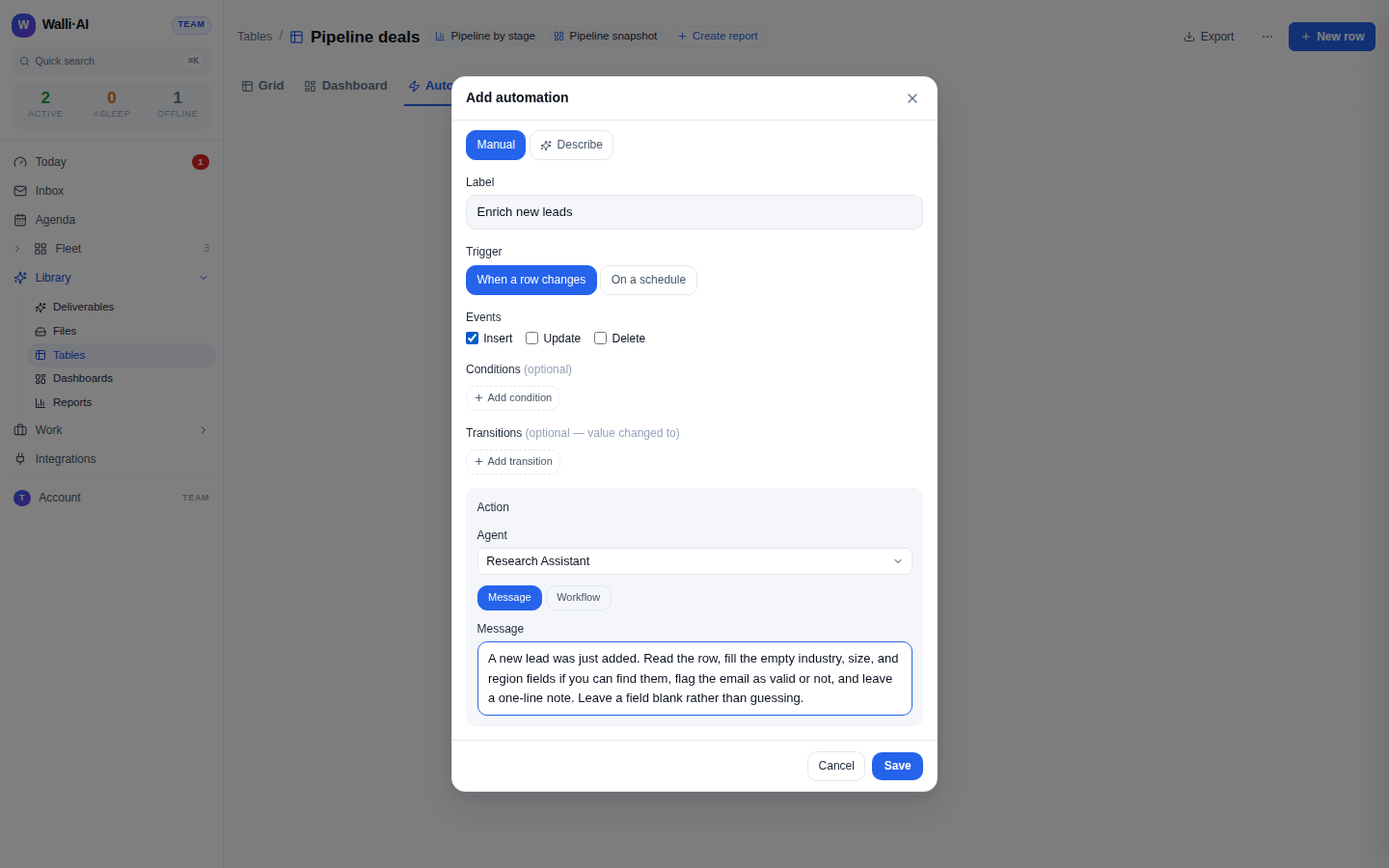
A table automation that fires on every new row and hands that row to an agent. The automation is a rule on your table: when a row is inserted, run this agent. The agent reads the new row, does the enrichment and validation you asked for, and writes the results back into the row's own columns, so the table completes itself as it fills.
Build it
- Have your table with the columns you want completed: the fields people fill in, plus the empty ones you want enriched (industry, region, a validation flag, a notes column).
- Create an agent for the job, for example one named
Row Enricher, and give it clear instructions on what "enriched and validated" means for this table: which fields to fill, what to check, and to be honest when it cannot find something rather than guessing. - On the table, open the Automations tab and add a table automation. Set the trigger to fire on insert (a new row), and point it at your
Row Enricheragent. This is the rule that says "every new row runs the enricher." - Tell the agent, in the automation's message, exactly what to do with the row: for example "A new lead was just added. Read it, fill in the empty industry, company size, and region fields if you can find them, flag the email as valid or not, and write a one-line note. Leave a field blank rather than guessing."
- Add a new row yourself to watch it run, then check the row filled in.
What you get
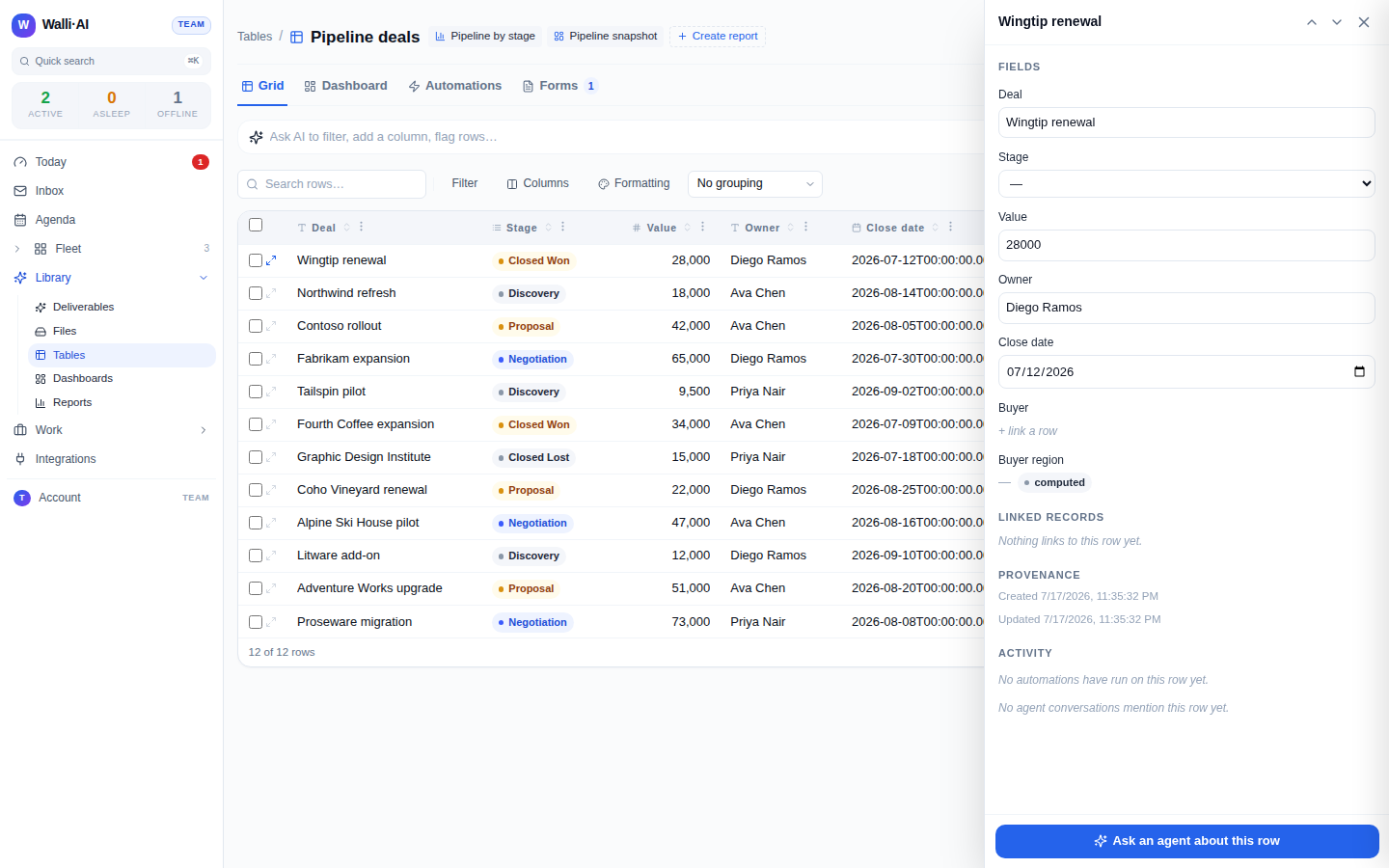
Every row added to the table gets completed on its own. The agent reads the new row, does the lookups and checks you defined, and writes the results straight back into the row's columns, so the enriched fields, the validation flag, and the note appear in place. It can also attach a file to the row (a source document or a fuller research write-up) when there is more than a cell's worth to keep. New rows stop arriving half-empty and staying that way, and the table you rely on stays trustworthy because nothing sits un-enriched.
The automation is bounded on purpose. It fires on the row events you chose (a new row here) and nothing else, and the platform caps how far an automation can cascade, so an agent's write-back cannot set off an endless loop of re-triggers. The agent fills real fields and, per your instruction, leaves a field blank rather than inventing a value, which is what keeps automated enrichment from quietly polluting your data.
Make it yours
- Enrich on change, not just on add. Fire the automation on update too, or only when a specific column changes to a specific value (a stage moves to "Qualified"), so re-enrichment happens exactly when it matters.
- Gate on a condition. Add a condition so the automation only runs for rows that match (leads from a certain source, deals above a threshold), leaving the rest untouched.
- Notify instead of fill. Have the agent post a summary of the new row to a chat channel for a human, when you want a heads-up on every arrival rather than silent enrichment.
- Attach, do not overwrite. Point the agent at attaching a research file to the row and writing only a status flag, when you would rather keep the human-entered cells untouched and add findings alongside.
What it costs
This recipe is one agent that runs briefly each time a row arrives. Enriching a single row is small, bounded work, and if it runs on Walli-AI's managed Spark models that work is metered against your plan's included AI budget, which you can watch fill in real time. On a busy import day many rows means many small runs, so the volume of new rows is the thing that drives cost; the automation's per-tenant rate cap keeps a flood of inserts from stampeding. Run the agent on your own provider key and its usage bills to your provider instead. The plan you need depends on how many agents and seats you want; see what it costs and choosing a plan.