"Pull data from invoices and receipts into a table"
When an invoice or receipt lands in your inbox as a PDF or photo, an agent reads it, extracts the vendor, date, and amount, and logs a structured row in your table, so bookkeeping stops meaning retyping.
Invoices and receipts arrive as attachments and photos, and turning them into a spreadsheet means opening each one and retyping the vendor, the date, and the total by hand. This recipe deletes that chore. When a receipt lands in your inbox, an agent opens the attachment, reads it, including scanned PDFs and phone photos, pulls out the fields that matter, and writes a structured row into your table. Your expense log or invoice ledger builds itself from the documents people already send you, so month-end stops meaning a stack of PDFs and a data-entry marathon.
Who this is for
Founders doing their own books, operations people who reconcile expenses, and anyone who ends up transcribing receipts into a spreadsheet. If your accounting starts with "open the PDF, read the number, type it into a cell," or your shoebox of receipts is a folder of email attachments, this turns each incoming document into a row without you touching a keyboard. It fits an expense tracker, a vendor invoice ledger, or a receipts table you hand to your accountant.
What you'll set up
A table to hold the extracted rows, email connected so the agent can open attachments, and an agent that reads each document and logs it. The agent finds the invoice or receipt in the message, extracts its text, OCRs it when it is a scan or a photo with no text layer, pulls out the vendor, date, amount, and any line you care about, and inserts a structured row into your table. The ledger fills itself from the attachments as they arrive.
Build it
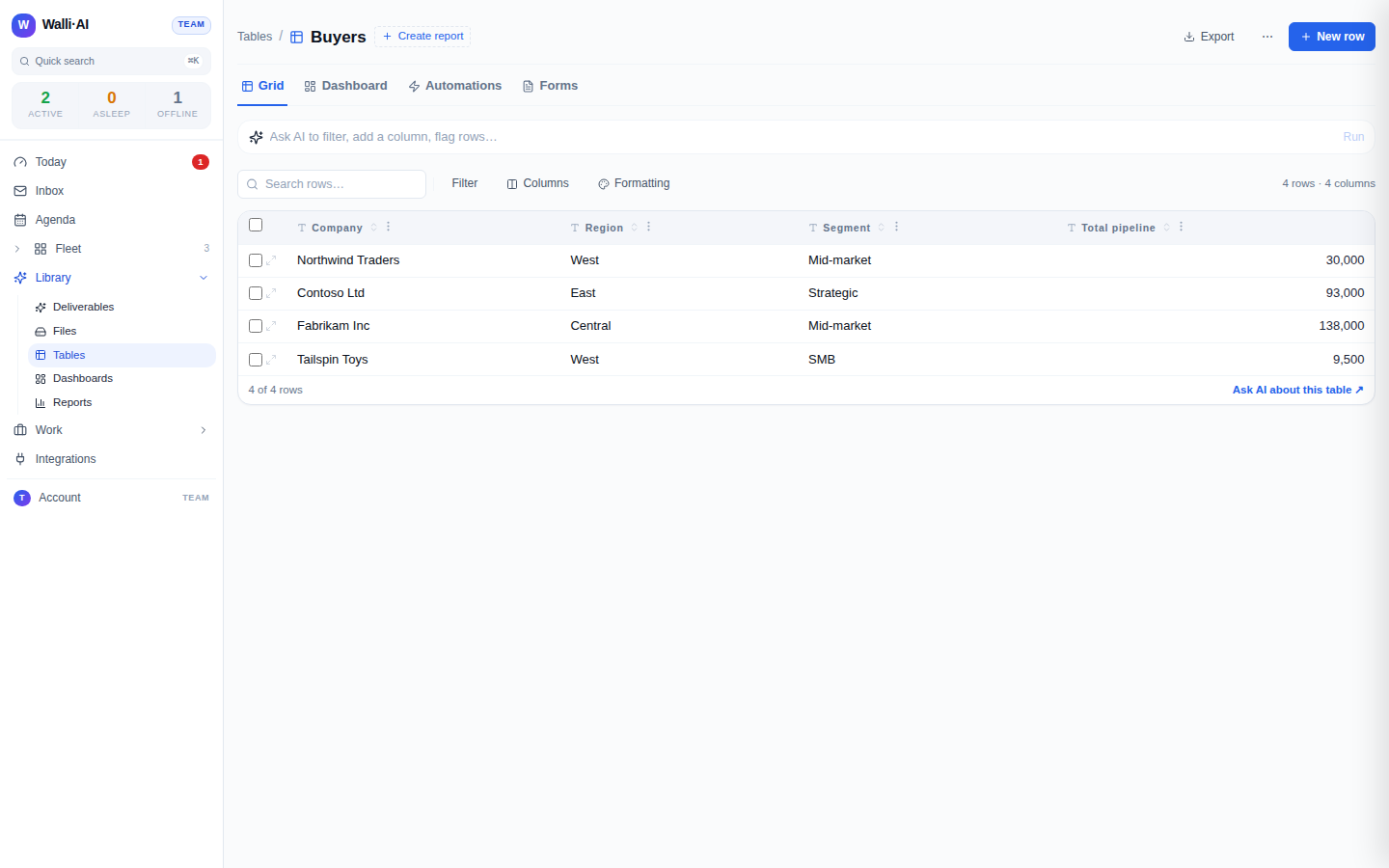
- Build the table that will hold the data, with the columns you want off each document: vendor, invoice or receipt date, total amount, currency, category, and a status column. This is your ledger.
- Connect email so the agent can open the messages your invoices and receipts arrive in and pull their attachments. Attachment reading is what lets the agent get at the document itself, not just the email body.
- Create an agent for the job, for example one named
Receipt Extractor, and tell it precisely what to pull: which fields map to which columns, how to read a date, how to handle currency, and to leave a field blank rather than guessing when a receipt is unclear. Tell it never to invent a number it cannot read on the document. - Ask the agent to process the documents. It opens the message, extracts the attachment's text, applies OCR to scanned PDFs and image receipts (PNG, JPG, TIFF) that have no text layer, reads the fields, and inserts a row into your ledger. Run it on a schedule to sweep an inbox label regularly, or on request against a specific message.
- Check the rows it wrote against the source documents, and tighten the agent's field-mapping instructions until the extraction is reliable.
What you get
A structured ledger that builds itself from the documents in your inbox. Each invoice or receipt becomes a row with the vendor, date, amount, and category pulled straight off the document, so your expense log or accounts-payable table stays current without anyone transcribing anything. Because the agent OCRs scanned PDFs and photographed receipts, even a crumpled receipt snapped on a phone and emailed in becomes a clean row, not a document you have to squint at and retype.
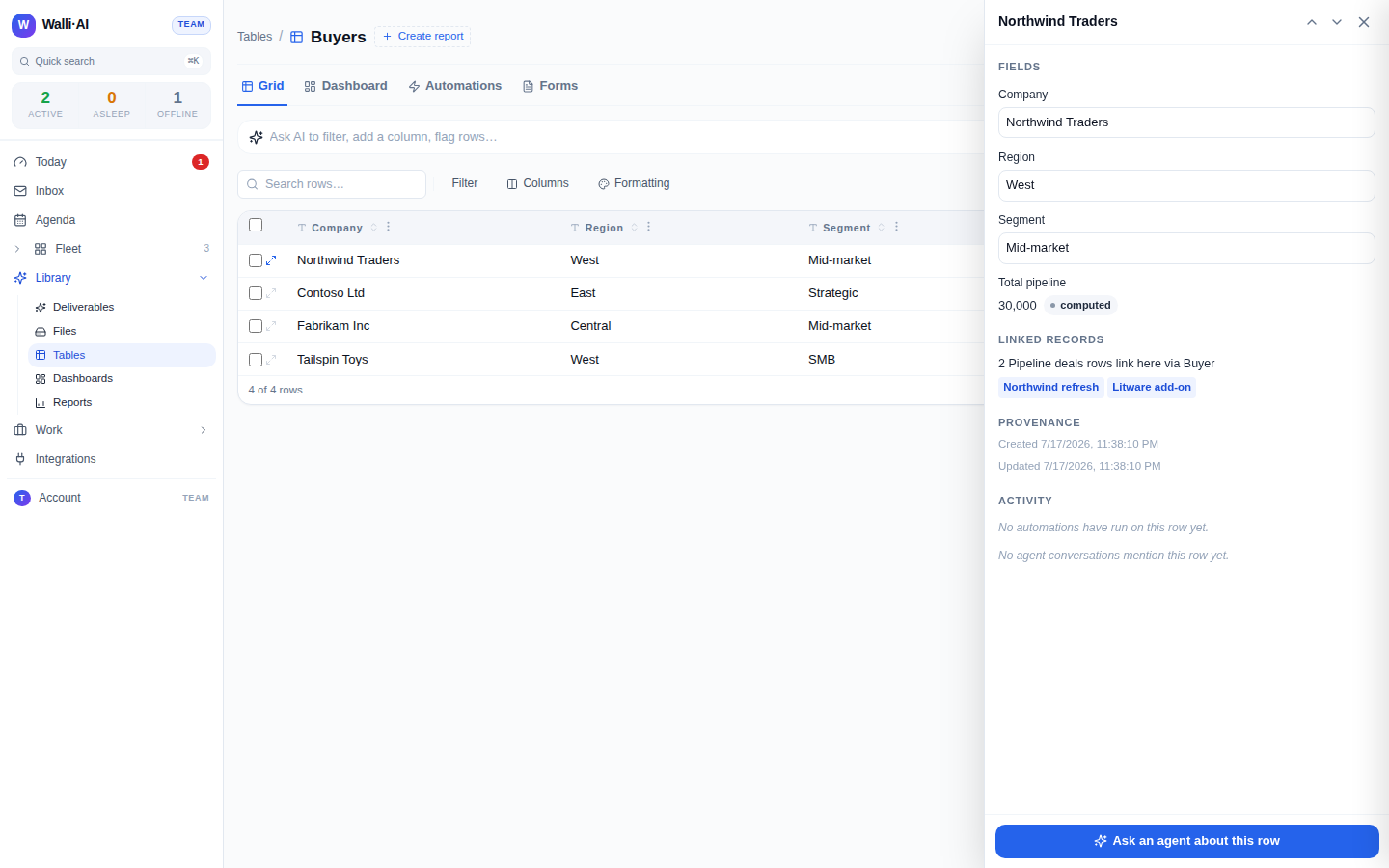
The agent reads, it does not guess. Every field comes from the text on the document, and when a value is unreadable it leaves the cell blank rather than inventing a plausible number, because a ledger with fabricated amounts is worse than a ledger with a gap. That discipline is what makes an automated books process safe to trust: a row is only as confident as what the document actually says.
Make it yours
- Sweep on a schedule. Put the agent on a schedule pointed at an inbox label where receipts land, so every new document is extracted on a regular sweep with no prompting.
- Flag the odd ones. Have the agent set a status of "needs review" on any row where a field could not be read confidently, so you only eyeball the documents that need a human, not all of them.
- Categorize as it logs. Give the agent your expense categories and have it tag each row, so the ledger arrives ready to summarize by category rather than needing a second pass.
- Roll it up. Point a saved report or a dashboard at the ledger table so spend totals by vendor or month compute from the rows the agent logged; the extraction feeds a live view of where the money went.
What it costs
This recipe is one agent that reads a document and writes a row. A scanned or photographed receipt uses OCR to recover the text, which is a bit more work than a born-digital PDF, but extracting a single receipt is small, bounded work either way. Run it on Walli-AI's managed Spark models and the work is metered against your plan's included AI budget, which you can watch fill in real time; run it on your own provider key and it bills to your provider instead. The number of documents you process is what drives cost, not any single one. For how metering works and which plan fits, see what it costs and choosing a plan.