A daily KPI report, delivered to Slack as a PDF
Build a report over your table data once, then have it render to a PDF and post to Slack every morning. The numbers are computed from your data, never written by an AI.
Every morning the team should see the same numbers: pipeline by stage, revenue to date, open tickets, whatever your KPI is. Not a dashboard someone has to remember to open, but a report that shows up where the team already talks. This recipe builds a saved report over your data once, then schedules it to render as a PDF and post to Slack every morning. The figures are computed directly from your data by a deterministic engine, so what the team reads is the real number, never something an AI estimated.
Who this is for
Finance and ops leads who own a recurring number and are tired of rebuilding the same rollup by hand, or pasting a screenshot into Slack every morning. It fits any KPI that lives in a Walli-AI table: a sales pipeline, a support queue, a cash position, a project tracker. If the data is in a table, this turns it into a standing daily delivery.
What you'll set up
A saved report built over one of your tables, and a schedule that delivers it. The report defines the answer once: which rows, grouped how, totaled how, drawn as which chart. The schedule renders that report to a PDF on a cadence and delivers it to a connected Slack channel (or by email). No agent writes the numbers; the report engine computes them.
Build it
- Put your data in a table if it is not already there, one row per deal, ticket, or line item.
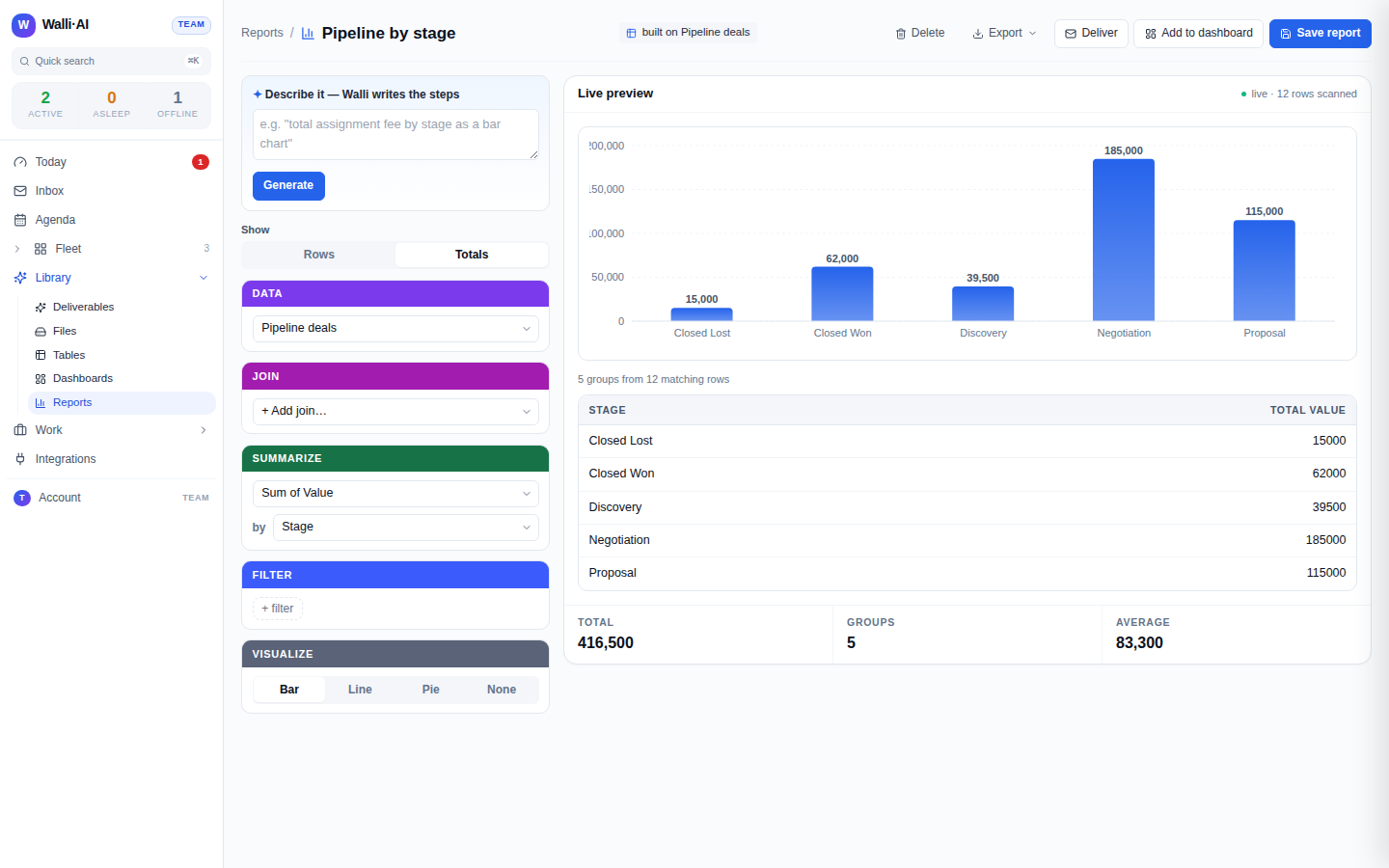
- Open the report builder and build the answer. Pick the table as the source, switch to Totals mode, group by the column you care about (stage, owner, status), and sum or count the measure. Add a filter if you only want a slice (open deals, this quarter), and choose a chart. The live preview shows the real figures as you go; save the report when it reads right.
- Connect the delivery target. To post to Slack, connect a Slack channel to your workspace so the report has somewhere to land. Email delivery needs no connection.
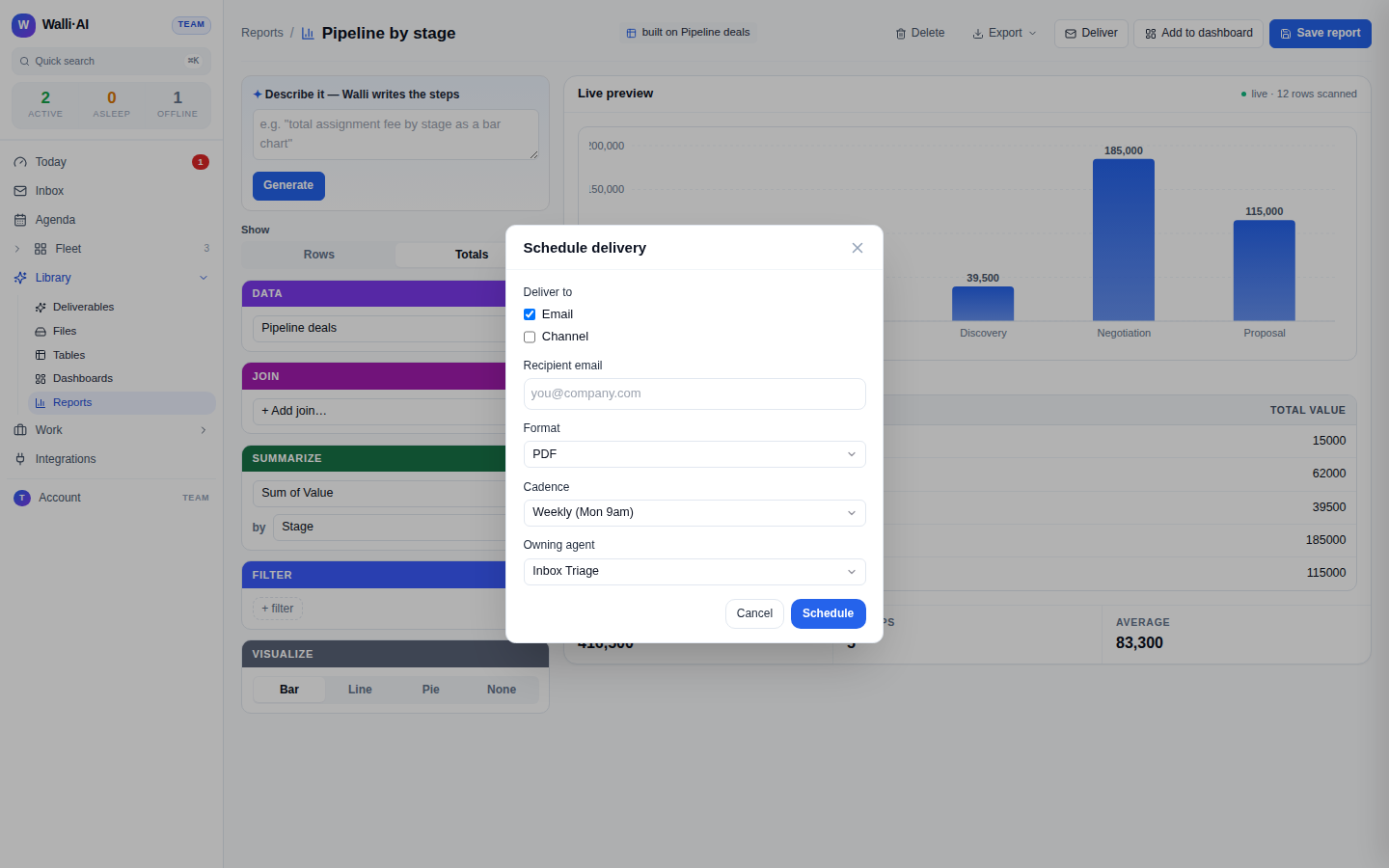
- Schedule the delivery. Following Sharing and exporting reports, set the report to deliver on a schedule: choose the PDF format, a daily morning cadence in your timezone, and the Slack channel (or email address) as the destination.
- Let it run once and check the delivered PDF, then leave it on.
What you get
Every morning a PDF of the report lands in your Slack channel: the grouped totals, the chart, and a link back to the live report in Walli-AI. The team reads the same numbers at the same time without anyone opening a tool or rebuilding a rollup. Because the delivery renders the saved report, the PDF is exactly what the live report shows; there is no separate copy to drift.
The figures are worth trusting for a specific reason: they are computed by a deterministic engine directly over your table rows, the same arithmetic every time, never written by a language model. Money and counts in the report are real values from your data. If a number is not in the data, the report does not invent one. That is what makes a daily automated KPI safe to put in front of the whole team.
Make it yours
- A different cadence. Weekly on Monday, or end-of-day instead of morning, by editing the schedule's cron. Stagger multiple reports so their deliveries do not all land in the same minute.
- Email instead of Slack. Deliver the same PDF by email to a distribution list, or to yourself, when the audience is not in chat. You can also deliver to Discord.
- A different format. The same saved report can deliver as a spreadsheet or CSV instead of a PDF when the recipient wants the underlying numbers to work with, not a printout.
- Several cuts of one dataset. Build two reports over the same table (one grouped by stage, one by owner) and schedule each to the channel that cares, so every team sees its own slice.
What it costs
This recipe leans on the report engine and the scheduler, not on heavy AI. Building the report is a one-time setup, and the daily delivery renders a saved definition and posts it, which is light, predictable work. Reports and schedules are part of your plan; the plan you need depends on how many agents, seats, and how much storage you want. See what it costs for how the bill is structured and choosing a plan for the current numbers. Because the delivery is deterministic rendering rather than model inference, it is one of the cheapest automations to run every day.