Turn your inbox into a morning triage brief
An agent reads your inbox on a schedule, labels and summarizes what came in, and leaves draft replies ready for one-click send. It never sends email on its own.
You open your laptop and the inbox is already sorted: what needs a reply is flagged, what was noise is filed, and for the messages you clearly need to answer there is a draft waiting, ready to read and send. You did not spend the first hour of the day triaging. This recipe builds an agent that reads your inbox on a schedule, labels and summarizes what arrived, and writes draft replies you can send with one click. The agent never sends email on its own; the send button stays yours.
Who this is for
Founders, operators, and anyone who starts the day underwater in email. It fits people whose inbox is a mix of genuinely-needs-me and could-have-been-a-filter: customer questions, scheduling back-and-forth, newsletters, notifications. You want the sorting done and the obvious replies drafted, without handing an agent the authority to actually send mail in your name.
What you'll set up
One agent connected to your Gmail account, run by a schedule each morning. When it runs it reads the recent inbox, applies labels to triage what it finds, writes a short brief of what needs you, and drafts replies to the threads that clearly need one. The drafts land in your Gmail drafts folder for you to review and send. Nothing leaves your account without you.
Build it
- Create an agent for the job, for example one named
Inbox Triage. In its instructions describe your triage rules in plain language: what counts as needing a reply, what to file, what to ignore, and the tone to use when it drafts. - Connect Gmail to the agent from the integrations hub. Gmail is connected per agent, and the connection is what gives it the ability to read messages, manage labels, and save drafts.
- Write the agent's working brief. A good one: "Read this morning's unread inbox. Label each message: apply
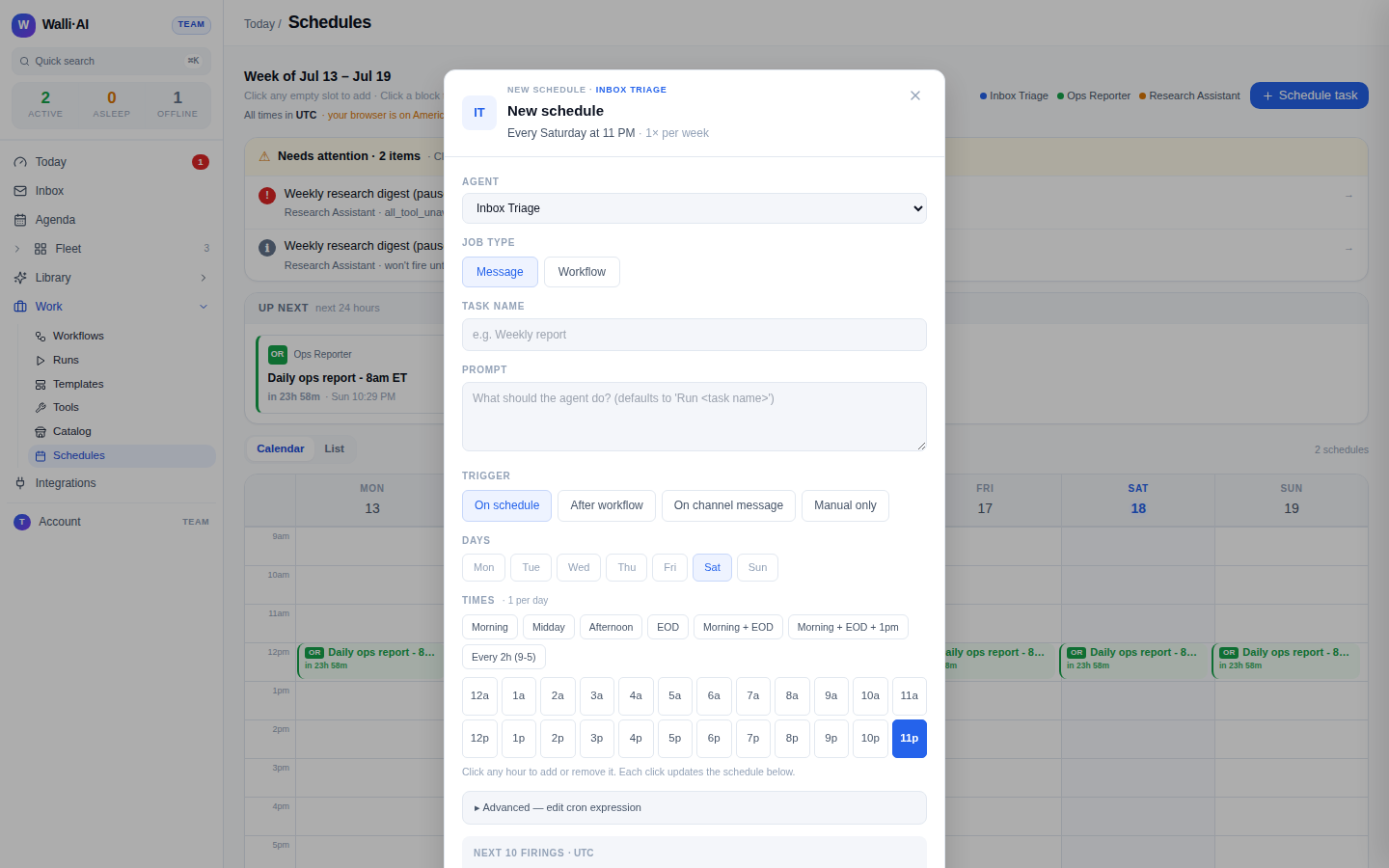
Walli/replyto anything that needs a personal answer,Walli/filedto project mail, and leave newsletters alone. Summarize what needs me in a few lines. For eachWalli/replythread, save a draft reply in my voice." The agent can create those labels itself the first time. - Point a schedule at the agent so it runs every morning before you start. Pick the agent, choose a workflow or a one-off message job, and set a daily cron in your timezone (say 7am). Check the next-firings preview and enable it.
- Run it once on demand to see the result before you trust the cadence, then leave it enabled.
What you get
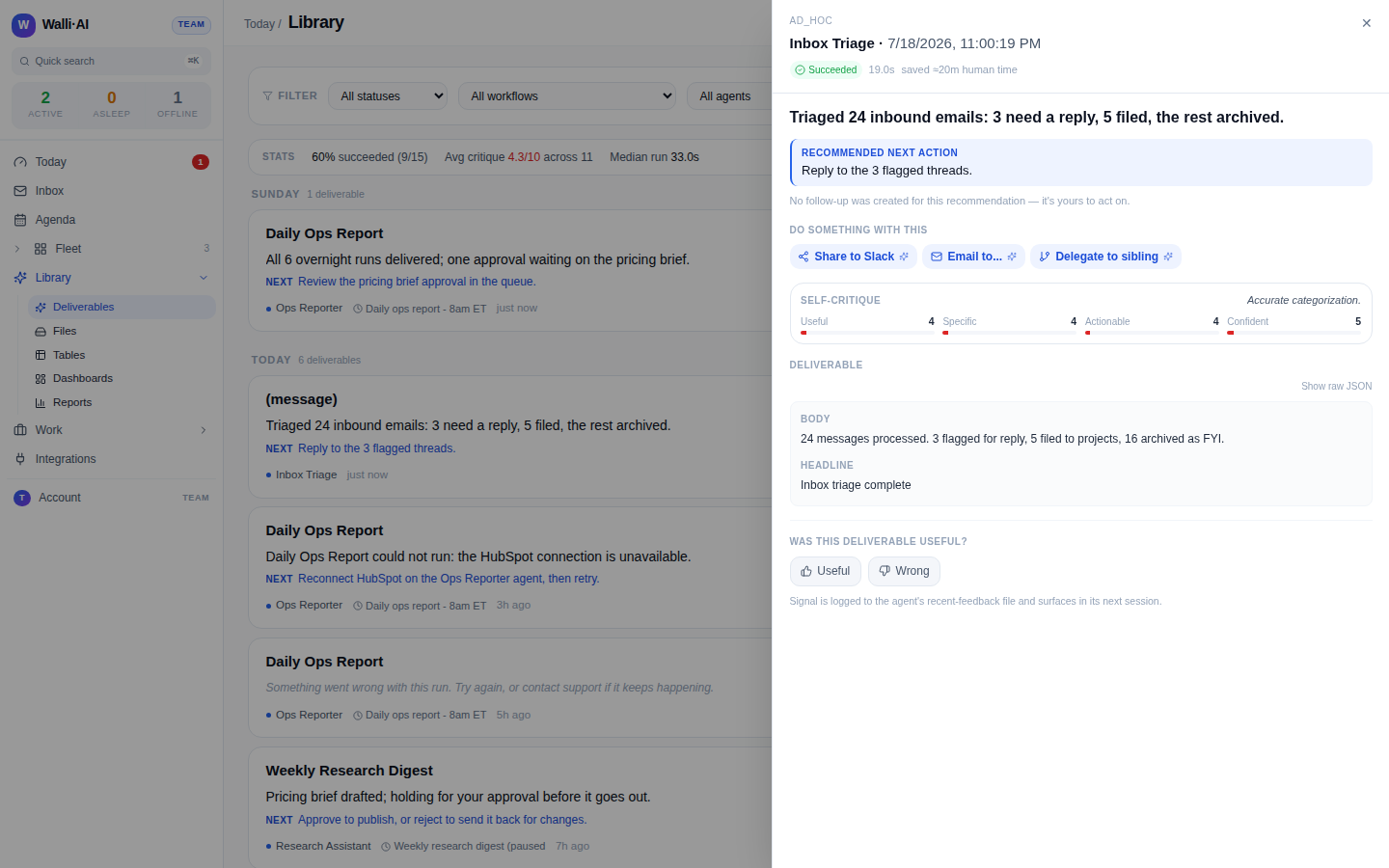
Each morning the agent produces three things: your inbox is labeled so Walli/reply is a ready-made to-do list, a short brief tells you what needs you and why, and your Gmail drafts folder holds replies waiting on the threads that need an answer. You open a draft, read it, adjust a line if you want, and hit send. The triage that used to eat your first hour is done before you sit down, and the only decision left is the one that actually needs your judgment: what to say and whether to send it.
One boundary is deliberate and worth stating: the agent drafts, it does not send. It has no ability to send email at all, so every reply is a draft you approve with a click. That is what makes it safe to run unattended every morning: the worst case is a draft you delete, never a message that went out in your name that you did not write.
Make it yours
- A different cadence. Run it twice a day (morning and after lunch) instead of once, or only on weekdays, by editing the schedule's cron. It runs on a schedule or when you ask it to, not the instant mail arrives, so you choose exactly when it looks.
- Deliver the brief to chat. Have the run post its summary to a connected Slack or Discord channel as well as leaving it in your Library, so the brief meets you where you already are.
- Filed, not drafted. Drop the drafting step entirely and run a pure triage pass that only labels and summarizes, when you would rather write every reply yourself but still want the inbox pre-sorted.
- Stricter scope. Narrow what it reads to a single label or sender list so it only ever touches, say, customer support mail and never your personal threads.
What it costs
This recipe is one agent plus the AI it uses to read and draft. A once-a-morning pass over a normal inbox is light, bounded work. If the agent runs on Walli-AI's managed Spark models, that work is metered against your plan's included AI budget, which you can watch fill in real time; run it on your own provider key instead and its usage bills to your provider and never touches that budget. The plan you need depends only on how many agents and seats you want. The current numbers and how the budget works are in what it costs and choosing a plan.