"Summarize long documents and PDFs into a one-page brief"
Hand an agent a long PDF, contract, or report and get back a one-page brief with the key points, decisions, and open questions, from a file you uploaded or an attachment emailed in.
A forty-page report, a dense contract, a research PDF someone forwarded: the information you need is in there, but reading it is an hour you do not have. This recipe puts an agent between you and the long document. You give it the file, it reads the whole thing, and it writes back a one-page brief: the key points, the decisions or terms that matter, and the questions still open. You get the substance in a minute instead of the afternoon, and the brief is grounded in the actual text, not a guess at what a document like that usually says.
Who this is for
Anyone who has to read more than they have time for: founders reviewing contracts, operators digesting vendor reports, analysts working through filings, a team lead catching up on a spec. If long documents pile up faster than you can read them, or you keep wishing someone would just tell you the three things that matter in a PDF, this turns that wish into a repeatable job.
What you'll set up
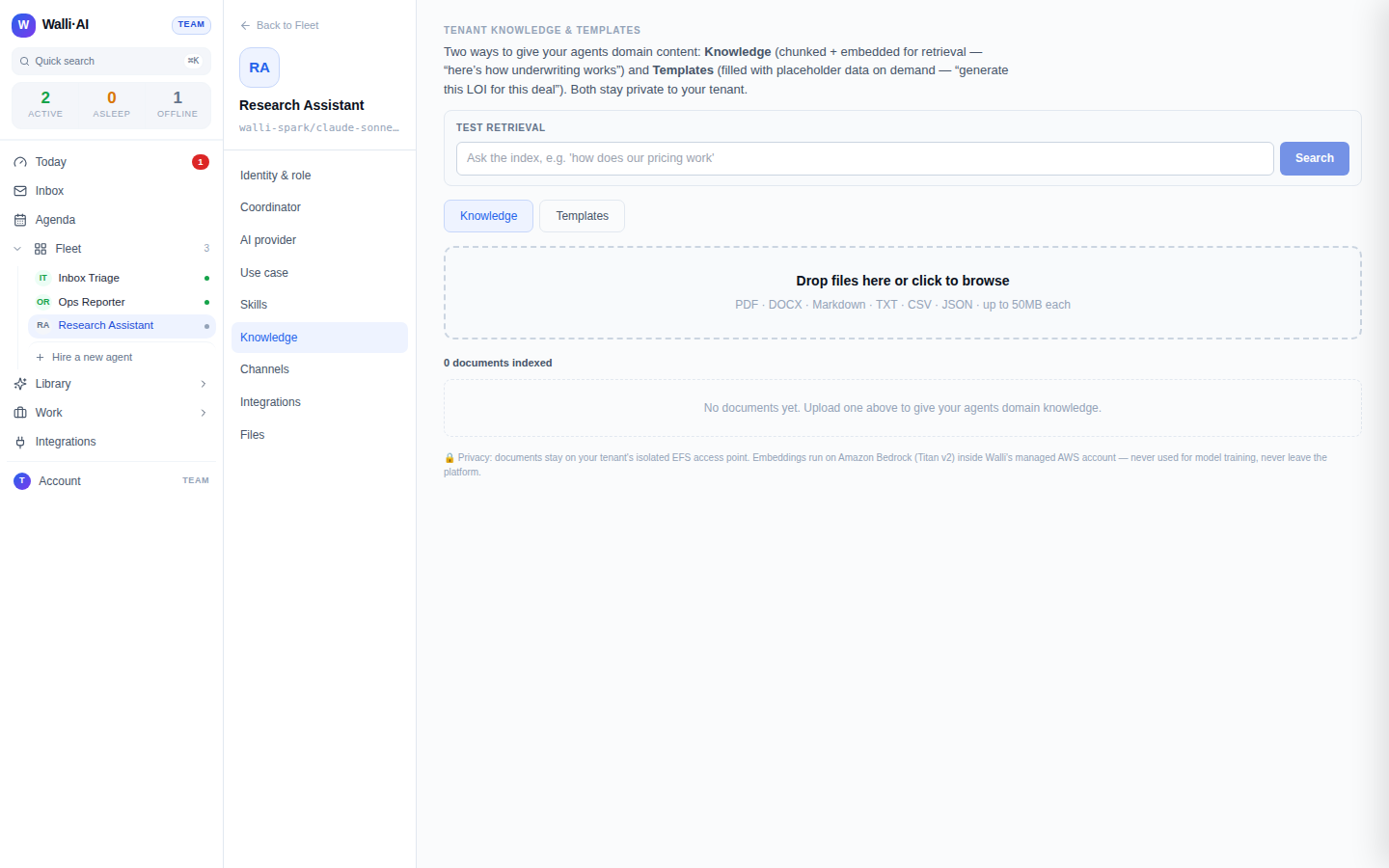
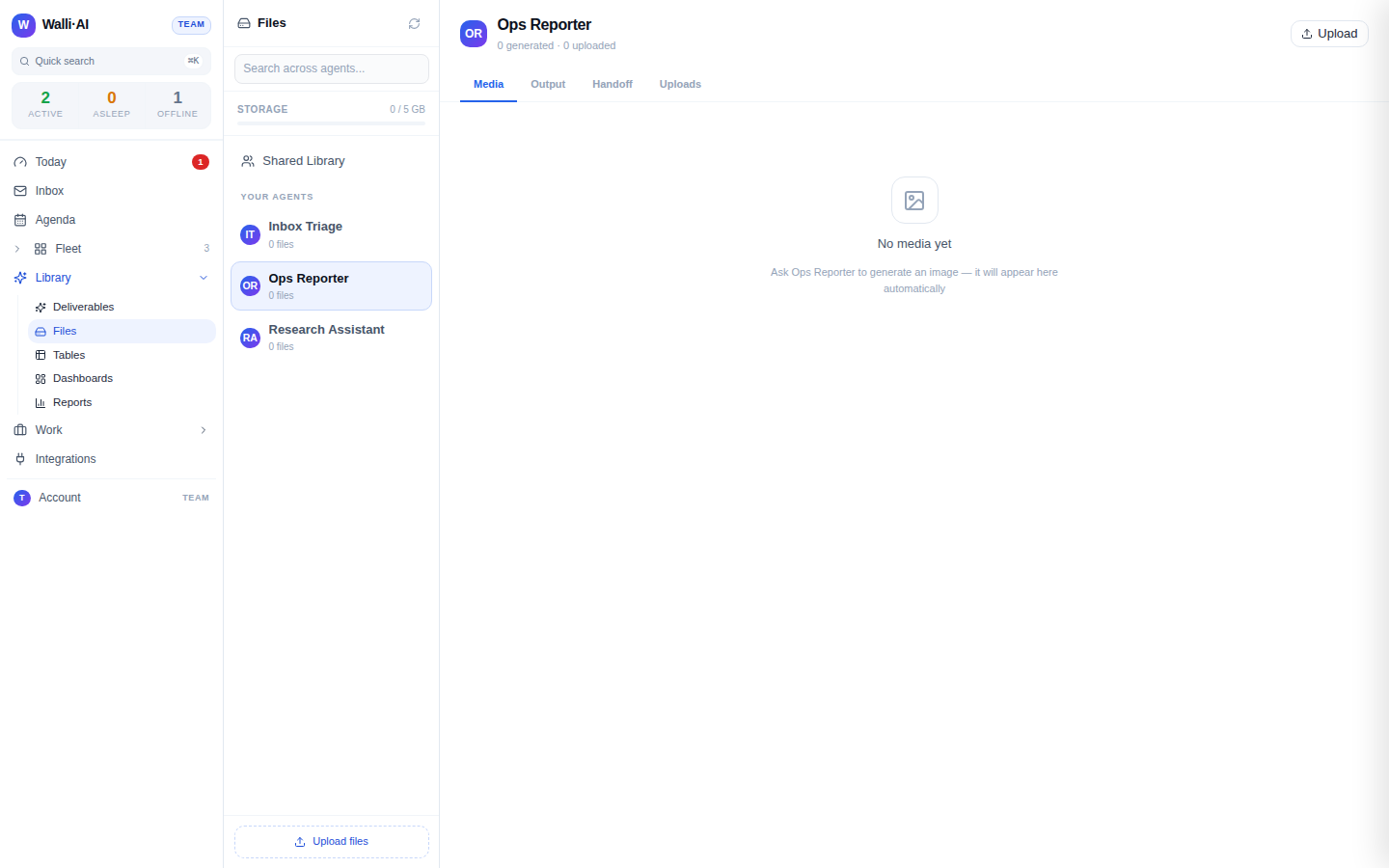
An agent that can read a document and write a summary back as a file. There are two honest ways to get the document to the agent. You can upload it as knowledge, where Walli-AI extracts the text and makes it searchable, then ask the agent to summarize it. Or, if the document arrives as an email attachment, the agent can pull the attachment directly and extract its text. Either way, the agent reads the full content and writes the brief into your files so you can open, download, or share it.
Build it
- Get the document to the agent. To summarize something on hand, upload it as knowledge: Walli-AI extracts the text from PDF, DOCX, Markdown, CSV, and plain-text files on upload and indexes it for the agent to read. To summarize an emailed document, connect email so the agent can open the message and extract the attachment's text.
- Create an agent for the job, for example one named
Brief Writer, and tell it what a good one-page brief looks like for you: a short summary up top, the key points as bullets, the decisions or terms that matter, and the open questions or risks. Tell it to quote or cite specifics from the document rather than generalizing, and to flag anything it could not read. - Ask the agent to produce the brief. For an uploaded document, tell it which document to summarize and to write the brief to a file. For an emailed one, tell it to find the message, extract the attachment, and summarize that. The agent reads the extracted text and writes the one-page brief into your files.
- Open the brief in your files to read, download, or share it. If it is not shaped the way you want, adjust the agent's instructions on structure and length and run it again.
What you get
A one-page brief, saved as a file, that captures a long document in a form you can read in a minute: a short summary, the points that matter, the decisions or terms, and the open questions. The agent read the real text, so the brief reflects the document rather than a plausible-sounding stand-in. For a scanned PDF or a photographed page that arrives as an email attachment, the agent can OCR the image to recover the text before summarizing, so even a document with no text layer becomes a brief.
There is one honest limit worth knowing. A scanned or image-only PDF uploaded as knowledge is extracted for its text layer, so a document with no text layer needs the emailed-attachment path, where OCR is applied. For born-digital PDFs, DOCX, and text documents, either path reads the content directly.
Make it yours
- Change the shape of the brief. Ask for an executive summary, a risk-and-obligations list for a contract, a "what changed" diff against a prior version you also uploaded, or a five-bullet TL;DR. The agent's instructions decide the format.
- Summarize a stack at once. Upload several related documents as knowledge and ask the agent for one combined brief across all of them, so a folder of reports becomes a single read.
- Route it on a schedule. Point the agent at an inbox label where reports land and put it on a schedule, so every new document that arrives gets briefed without you asking.
- Post the brief to your team. Have the agent drop the finished brief into a chat channel so the summary reaches the people who need it, not just your files.
What it costs
This recipe is one agent reading a document and writing a summary. A long document means more text for the agent to read, so a big PDF costs a little more than a short one, but a one-page brief is bounded work either way. Run it on Walli-AI's managed Spark models and the work is metered against your plan's included AI budget, which you can watch fill in real time; run it on your own provider key and it bills to your provider instead. The volume of documents you summarize is what drives cost, not any single brief. For how metering works and which plan fits, see what it costs and choosing a plan.