Answer your community's questions from a docs-grounded agent
An agent in your Discord or Slack that answers members' questions from the docs you upload, and says it does not know rather than making something up.
Your community asks the same questions over and over, and the answers all live in docs you have already written. This recipe puts an agent in your Discord or Slack that answers those questions on the spot, grounded in the documentation you upload. When a member asks something your docs cover, they get an answer with the relevant detail. When they ask something your docs do not cover, the agent says so rather than inventing an answer, so it never confidently tells your community something wrong.
Who this is for
Support leads, community managers, and developer-relations teams who run a busy Discord or Slack and answer the same product questions daily. It fits any community with a real documentation set: a product's help docs, an API reference, a policy handbook, an onboarding guide. If your team keeps pasting the same links and re-explaining the same things, this hands the first response to an agent that actually knows your docs.
What you'll set up
An agent connected to your community chat, backed by the documentation you upload as its knowledge. Members ask by mentioning the agent in a channel or messaging it directly; the agent retrieves the relevant passages from your uploaded docs and answers from them. The knowledge is private to your workspace, and the agent answers from it rather than from general training.
Build it
- Create an agent for the job, for example one named
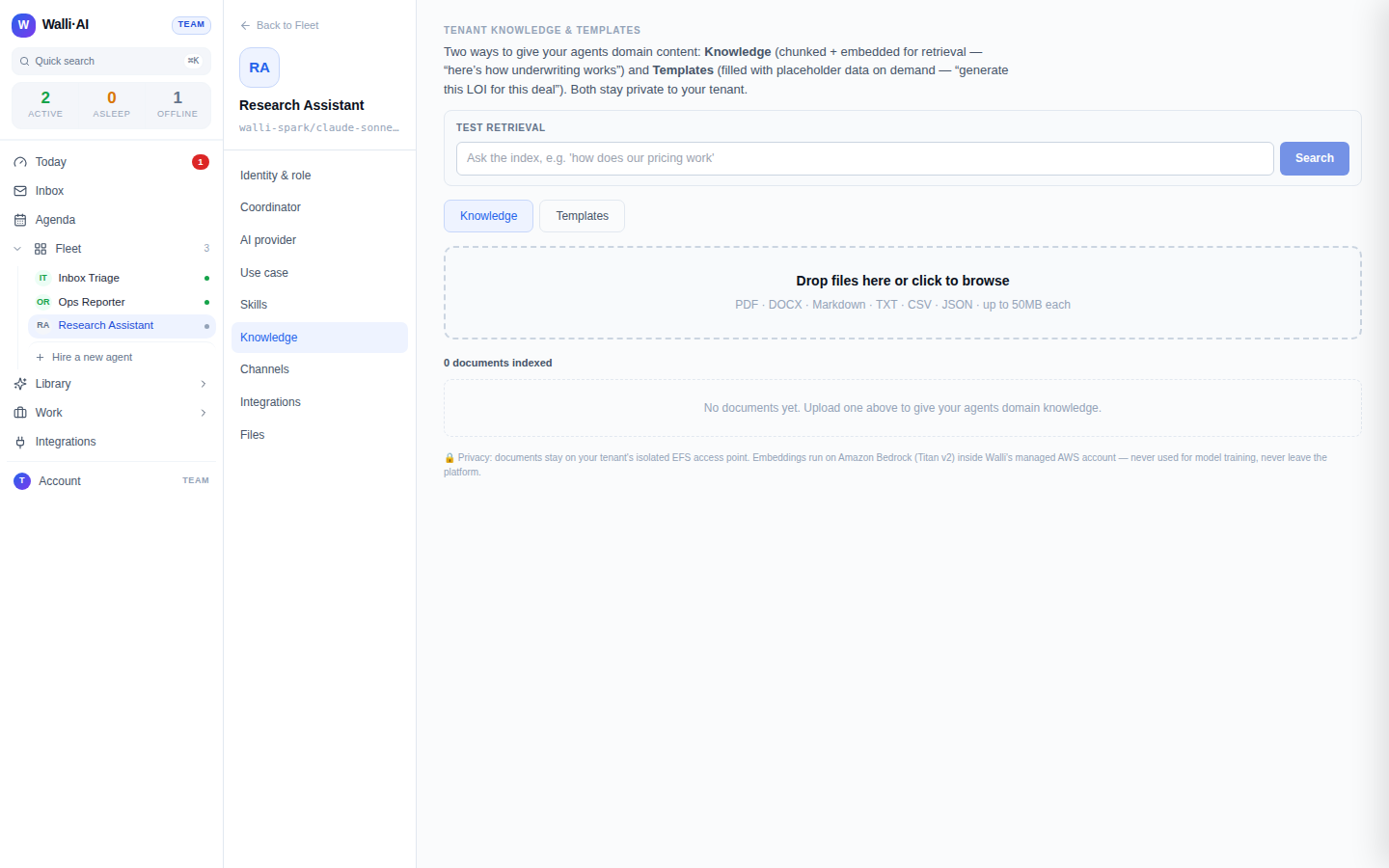
Community Helper, and set its tone in the instructions: friendly, concise, and honest when it does not know. - Upload your documentation as the agent's knowledge. Add the help docs, FAQ, API reference, or handbook you want it to answer from. This knowledge is searched only within your own workspace and is never shared across customers.
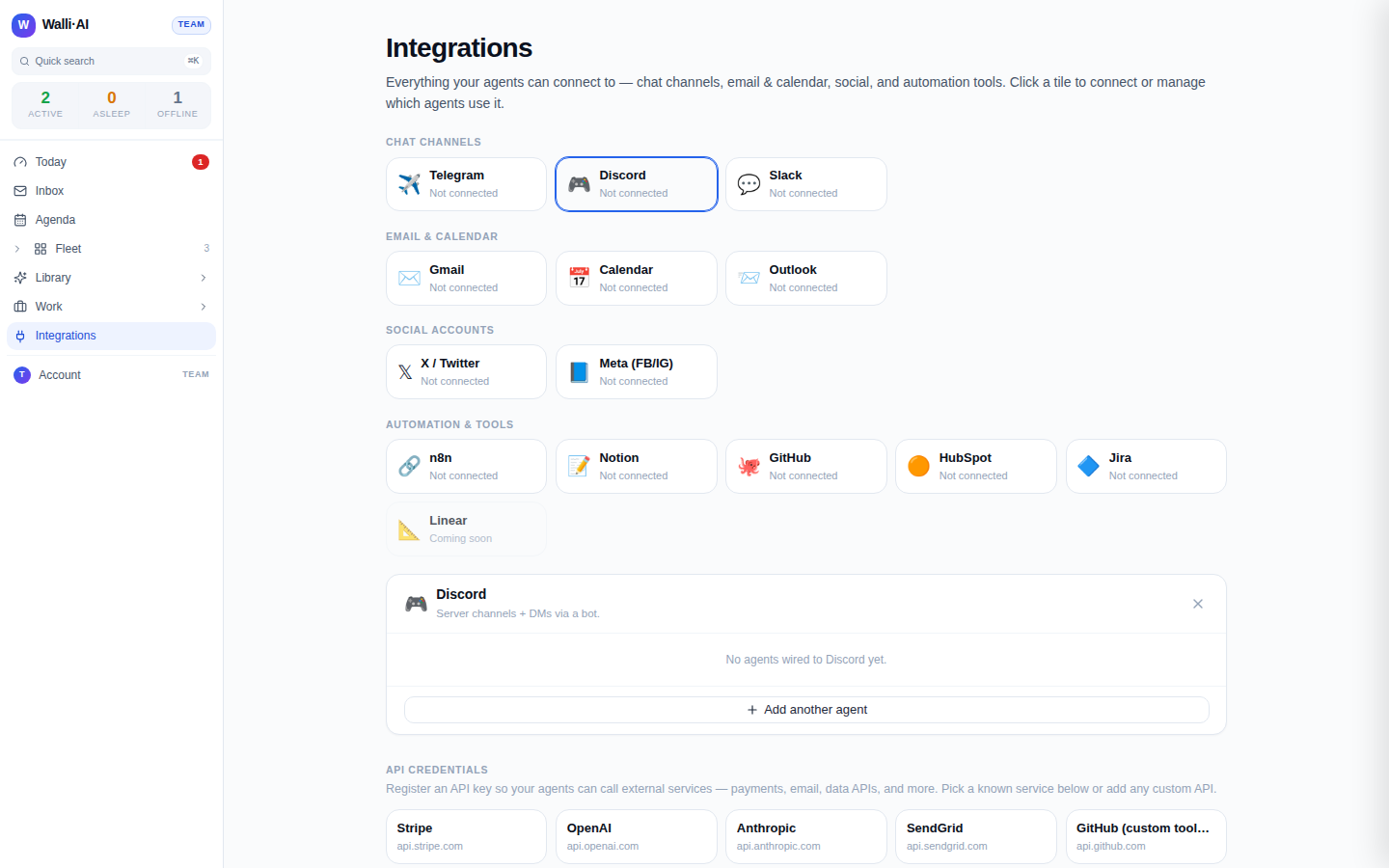
- Connect the agent to your community. Add it to a Discord or Slack channel so members can reach it. Both surfaces work two ways: a member can mention the agent in a shared channel, or send it a direct message.
- Tell the agent its answering rule in its instructions: "Answer members' questions using the uploaded docs. Quote or point to the relevant part. If the docs do not cover it, say you are not sure and suggest where to ask, rather than guessing."
- Ask it a question yourself, from a channel and from a DM, to confirm it answers from your docs before you point the community at it.
What you get
Members get answers in the channel they already use, grounded in your own documentation, without waiting for a human. For every question the agent pulls the relevant passages from your uploaded docs and answers from them, so the reply reflects what you actually wrote, not a generic guess. Common, well-documented questions get handled on the spot, and your team's attention is freed for the genuinely new ones.
The most important behavior is what happens when the docs do not have the answer: the agent is built to say it does not know rather than fabricate. When nothing in your knowledge matches the question, the platform surfaces nothing to answer from, and the agent is instructed to be honest about the gap instead of inventing something and attributing it to your docs. That grounded-empty behavior is what makes an agent safe to face your community: the failure mode is "I am not sure," never a confident wrong answer. Inbound messages also pass a lightweight triage first, so obvious spam and idle chatter do not each spin up a full answer.
Make it yours
- DM-only helpdesk. Point the agent at direct messages only, so support happens privately rather than in a public channel.
- Escalate what it cannot answer. Have the agent flag questions its docs do not cover to a human staff channel, turning the gaps into a backlog of docs to write.
- Keep the knowledge fresh. Re-upload docs when they change so answers track your latest product; the agent always answers from the current uploaded set.
- Scope by channel. Run it only in a
#helpchannel so it stays out of general conversation, and let mentions elsewhere go unanswered.
What it costs
This recipe is one agent that answers as members ask, so cost tracks how busy your community is: a quiet week is light, a launch day with a flood of questions is heavier. If the agent runs on Walli-AI's managed Spark models, its answering is metered against your plan's included AI budget, which you can watch fill in real time, and the inbound triage keeps spam and chatter from each costing a full answer. A talkative community agent is a natural fit for your own provider key, so its usage bills to your provider and stays off that budget. The plan you need depends on how many agents and seats you want; see what it costs and choosing a plan.