Every morning, brief me on today's calendar with prep notes
An agent that reads your calendar every morning and writes a short brief of the day's meetings, each with a line of prep, so you walk into the day already oriented.
Before the first meeting you want the shape of your day in one glance: what is on the calendar, who is in each meeting, and one line on what each one is about and how to walk in ready. Not the raw calendar grid you still have to interpret, but a written brief. This recipe builds an agent that reads today's calendar every morning and writes exactly that: the day's meetings in order, each with a short prep note. It reads and summarizes your calendar; it does not hunt for free slots or book meetings for you.
Who this is for
Founders, executives, and anyone whose day is a stack of back-to-back meetings they walk into cold. It fits anyone who keeps a real calendar and wants to start the day oriented instead of reconstructing context in the thirty seconds before each call. If your mornings begin with "wait, what is this next one about," this turns your own calendar into a readable brief before you have opened it.
What you'll set up
One agent with your Google Calendar connected, run by a morning schedule. The agent reads the events on today's calendar, and optionally the email or documents tied to them, then writes a brief: each meeting with its time, attendees, and a line of prep. The schedule fires it once every morning in your timezone so the brief is waiting when you sit down.
Build it
- Create an agent for the job, for example one named
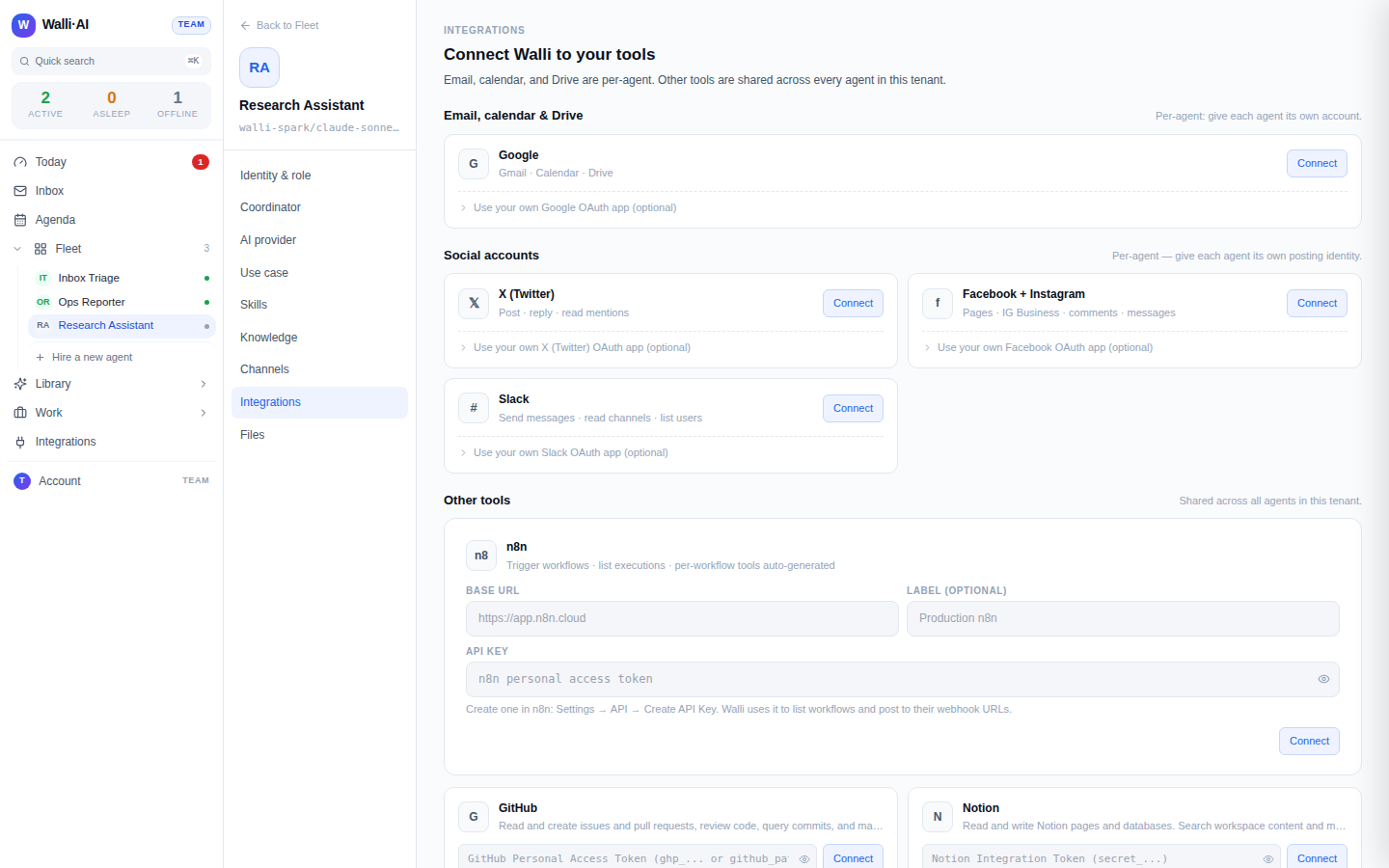
Chief of Staff, and in its instructions describe what a good morning brief looks like: the day's meetings in time order, who is on each, and one line of prep per meeting (what it is about, what to have ready, any decision it needs). - Connect Google to that agent. Following Gmail and Google Calendar for agents, grant the agent your Google account so it can read your calendar. The grant is per agent, so this agent carries your calendar and nothing else does. Connecting an integration is a one-time OAuth step.
- Write the agent's briefing instruction. A good one: "Every weekday morning, read today's events on my primary calendar. Write a brief that lists each meeting in time order with its start time and attendees, and one line of prep for each: what it is about and what I should have ready. If a meeting has a linked agenda or a recent email thread, pull the key point in. Lead with anything that needs a decision from me."
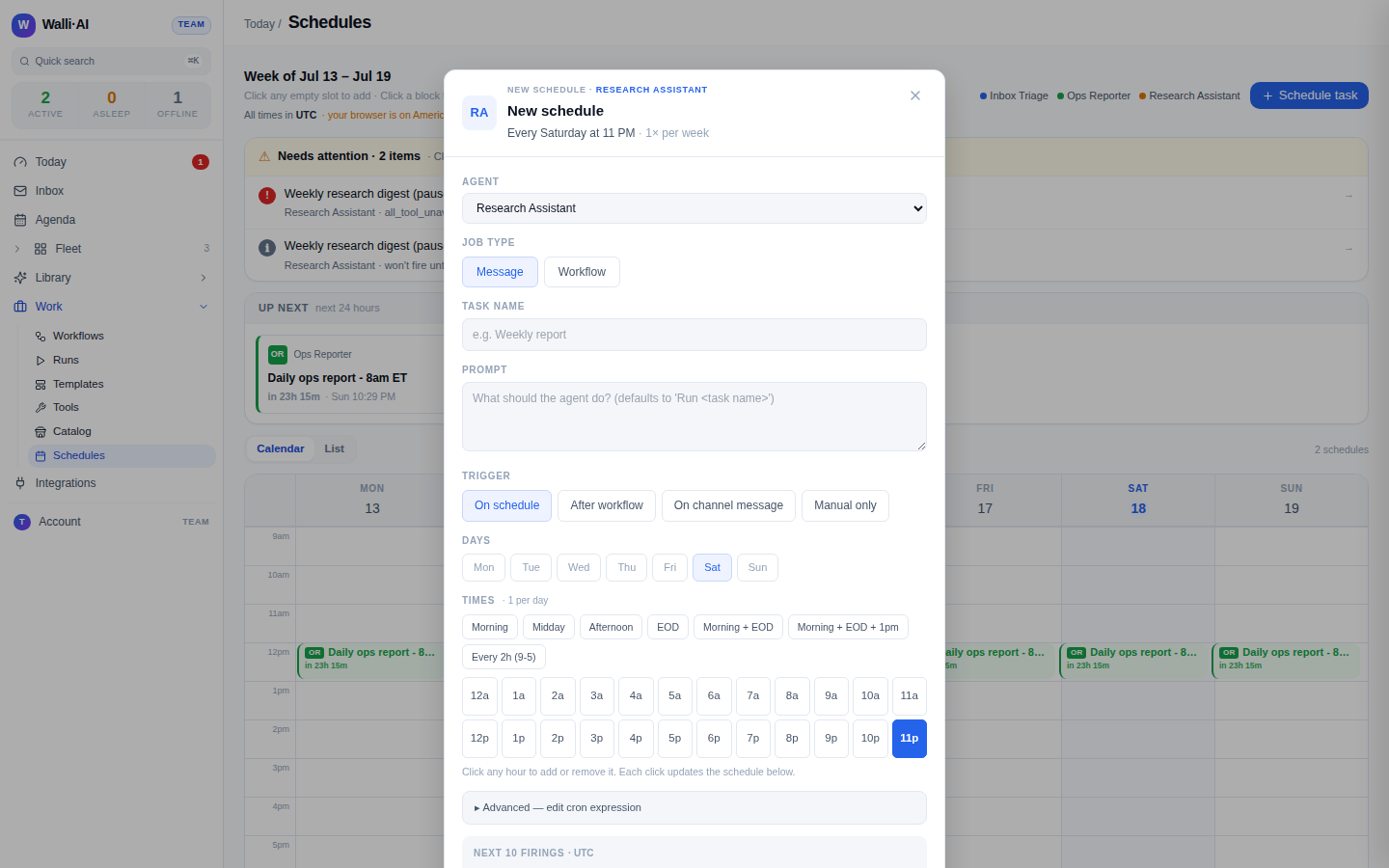
- Point a schedule at the agent with a weekday-morning cron in your timezone (say 7am), and confirm the next-firings preview before you enable it.
- Choose where the brief lands: it saves to your Library by default, and you can also have the run post it to a chat channel or email it to yourself so it is the first thing you see.
What you get
Every morning a brief of your day: the meetings in order, each with its time, who is in it, and a line telling you what it is and how to walk in ready. Where a meeting has an agenda doc or a live email thread and you asked the agent to pull those in, the brief carries the one thing you need from them, so you are not opening five tabs to reconstruct context. You read one short thing and you are oriented for the whole day.
Two limits are worth stating plainly, because they are what keep the brief honest. The agent reads and summarizes your calendar: it lists and describes the events that are there. It does not find mutual free slots, propose meeting times, or book meetings on your behalf, and creating a calendar event does not automatically notify the other attendees. This is a briefing assistant, not a scheduling assistant. And it summarizes what is actually on the calendar and in the linked threads, so the brief reflects your real day rather than an invented one.
Make it yours
- A different window. Brief the whole week on Monday, or the next day the evening before, by changing the schedule's cron and telling the agent which window to read.
- Only the meetings that matter. Have the agent skip the standing internal syncs and brief only external or first-time meetings, so the note stays short and high-signal.
- Pull in more context. With Gmail connected too, ask the agent to attach the latest thread with each external attendee, so every meeting comes with its running conversation.
- Deliver where you start. Post the brief to Slack or Discord for a shared team calendar, or email it to yourself, instead of leaving it in the Library.
What it costs
This recipe is one agent that runs once each morning and does a bounded amount of reading and writing, so it is a light daily automation. If it runs on Walli-AI's managed Spark models, that work is metered against your plan's included AI budget, which you can watch fill in real time; a once-a-day brief keeps it modest. Run the agent on your own provider key instead and its usage bills to your provider and never touches that budget. The plan you need depends on how many agents and seats you want. See what it costs and choosing a plan.