Models: the Spark catalog vs your own key
How the managed Spark model catalog differs from the live-fetched BYOK picker, and how to pick the right model per agent.
Every agent thinks with a model, and Walli-AI gives you two ways to source one: a curated, managed catalog through Walli-AI Spark, or any model your own provider key unlocks through Bring Your Own Key (BYOK). They behave differently: the Spark catalog is maintained for you and stays current on its own, while the BYOK picker reflects exactly what your key can call right now. This page explains both so you can pick the right model per agent. To actually change a model, see Changing an agent's AI model or provider.
What you can do
- Understand what the managed Spark catalog offers and how it stays current.
- Read model capability tags and per-model prices.
- Know what the live-fetched BYOK picker shows and why.
- Choose a fitting model for each agent independently.
The managed Spark catalog
Walli Spark is Walli-AI Spark, the managed option. Walli-AI runs the inference on its own infrastructure, so there is no API key to manage, and its picker offers 11 models across Amazon, Anthropic, Mistral, NVIDIA, OpenAI and Qwen.
Two things make the catalog different from a raw provider menu:
- It is maintained for you. The catalog is kept current automatically as new models become available and are priced, so you get access to fresh models without touching anything.
- It auto-upgrades on retirement. If a model you are using stops being available, Walli-AI moves the agent rather than letting it break: to the replacement Walli-AI named when the model left the picker, or otherwise to the newest available model in the same family, or to the platform default when the family has none. If none of those is available either, the agent stays on its current model rather than being moved somewhere unsuitable.
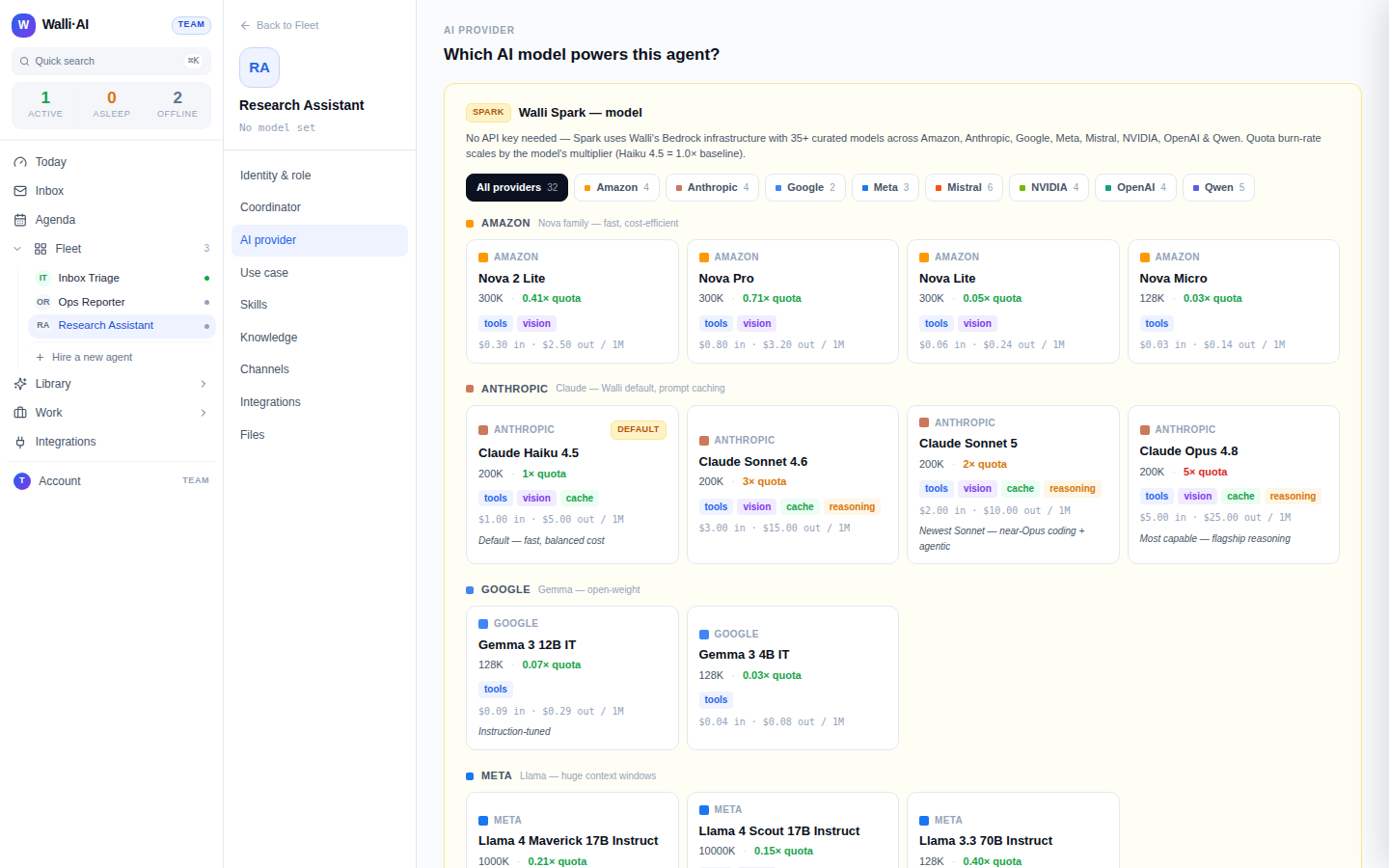
Each catalog entry shows its provider, capability tags, and its price per 1M tokens:
- Capability tags tell you what a model supports: tools, vision, cache, reasoning, and code.
- Price is what a million input tokens and a million output tokens cost at the rate AWS bills Walli-AI, and it is also how fast the model draws down your AI Unit budget: every model burns AI Units at its own AWS-billed price. Claude Haiku 5.5 is the default; more capable models such as Claude Sonnet and Claude Opus cost more per token because each message costs more to run.
Reading a model card
Each card packs the facts you need to choose. Alongside the provider and price you get the model's context window (how much it can read at once, for example 200K or 1M), a short editorial note ("fast, balanced cost"; "flagship reasoning"), and the default model is marked with a Default badge. Provider filter tabs across the top let you narrow the catalog to a single family (Amazon, Anthropic, Mistral, NVIDIA, OpenAI or Qwen) when you already know which one you want.
Some cards also carry a Beta badge. That marks a model that has recently been added from Bedrock and is still in its proving window: it is fully usable right now, and it graduates out of beta automatically once it has passed sustained health checks. A beta model is a safe pick if you want the newest option early; if you prefer to wait for a model to settle before betting a production agent on it, stick to the un-badged entries until the badge clears.
Match the model to the job. A high-volume triage agent runs happily on a lower-priced model such as the Spark default; a research or reasoning agent earns its keep on a more capable, higher-priced model. You can pick differently for every agent.
The BYOK live-fetched picker
With BYOK you paste a provider API key (Anthropic, OpenAI, Google, Mistral, Grok/xAI, Groq, or Together AI) and Walli-AI fetches the models that specific key can call.
- The list is live. It is fetched from your key at the moment you refresh it, not read from a fixed menu, so it reflects exactly what your account has access to. If a model is missing, your key does not have it yet.
- You pay the provider. BYOK usage is billed by your provider directly and consumes no AI Units.
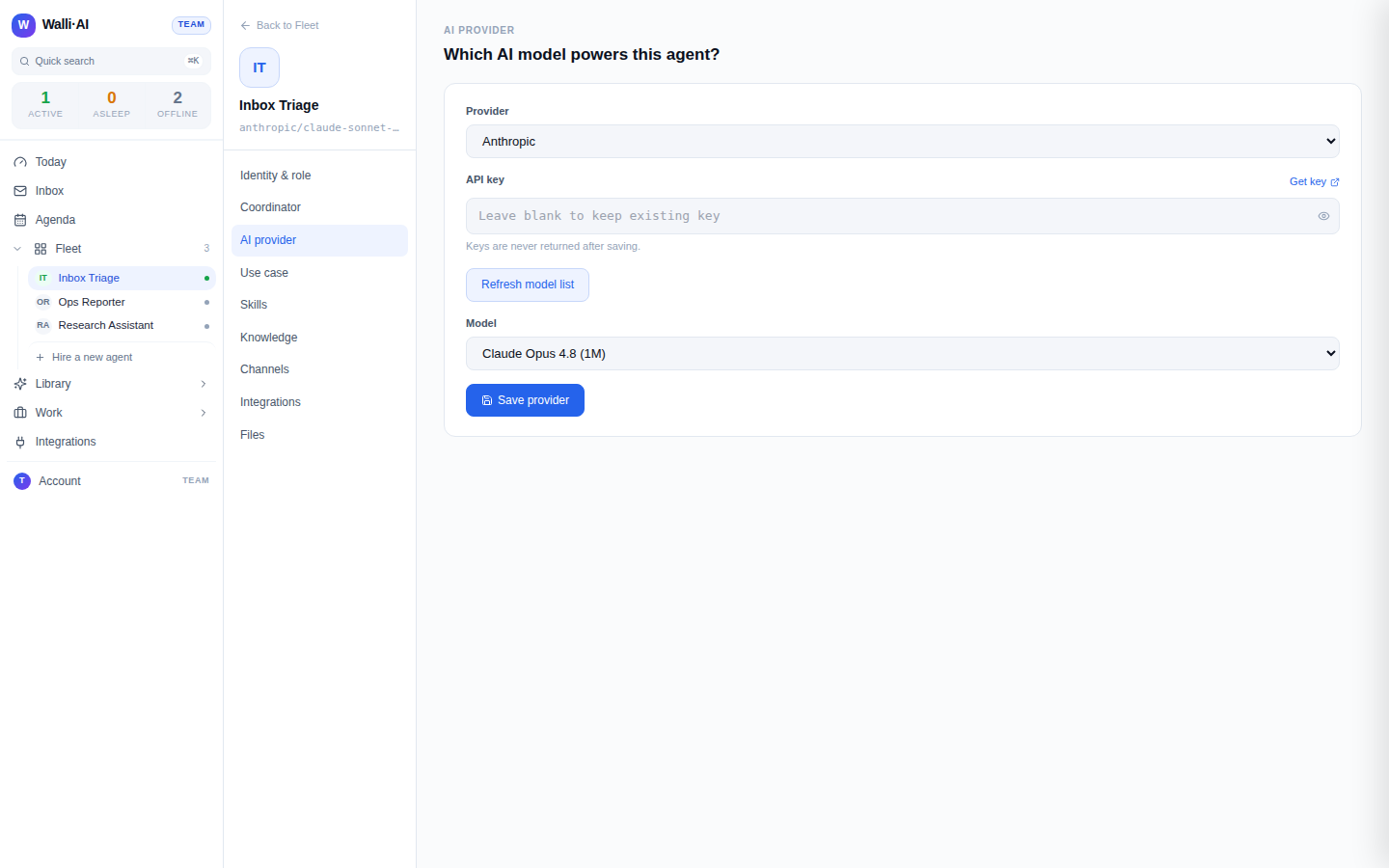
Being listed by a provider is not the same as being callable or priced for your key. The BYOK picker only offers what your key can actually invoke, which is why refreshing the list after enabling a model in the provider console is sometimes necessary.
Picking per agent
Model choice is per agent, set on each agent's AI provider screen. You can run some agents on Spark and others on BYOK in the same Fleet, and choose a different model for each based on the work it does. For the exact steps, see Changing an agent's AI model or provider.
Tips
- Start Spark agents on the default and let the built-in cost optimizer flag when a cheaper model would do the same job.
- Use BYOK when you already have a provider account or need a specific model that is not in the managed catalog.
- A Beta-badged Spark model is safe to use immediately and needs no action from you; it drops the badge on its own once it has cleared its health checks, so there is nothing to re-select later.
- Quality controls under Identity & role (a per-agent quality ceiling and a "never optimize this agent" switch) let you bound how the Compute Governor may re-route an agent's model: see Agent identity, personality, and the Compute Governor.