Agent identity, personality, and the Compute Governor
Set an agent's name, timezone, and personality note, and control how the Compute Governor may route its model.
The Identity & role screen is where you set the basics of who an agent is: its name, the timezone it works in, and a short note on its personality and purpose. It is also where you set per-agent overrides for the Compute Governor, the system that routes an agent's model up or down for cost efficiency. This page covers both the identity fields and the governor controls, and when to reach for each.
What you can do
- Rename an agent and set the timezone it schedules against.
- Keep a short note on the agent's personality and purpose.
- Override the workspace Compute Governor policy for one agent.
- Pin an agent to its configured model, or cap the model quality the governor may escalate to.
Open Identity & role
- Open the agent and select Identity & role in the configure left rail (
/agents/{id}/configure/identity). The header reads "Who is this agent and what do they do?"
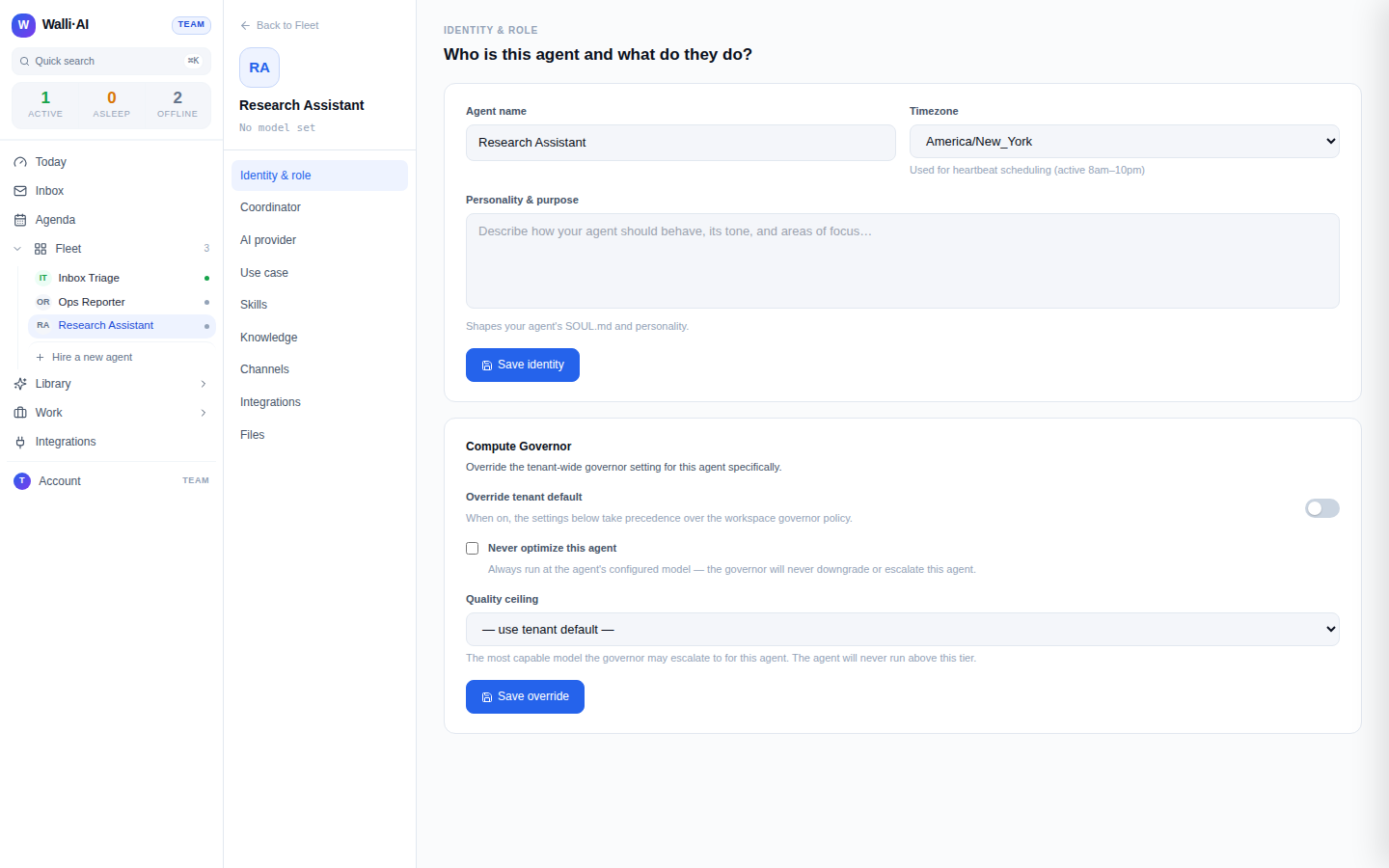
Name, timezone, and personality
- Agent name. What the agent is called across the portal. Renaming updates the Fleet, chat, and the agent header.
- Timezone. The timezone the agent uses for scheduling. It is active during working hours (8am to 10pm local), so pick the timezone the agent's work should follow.
- Personality & purpose. A free-text note about the agent: its tone, focus, and areas of responsibility. It is saved with the agent, but it is not part of the agent's instructions, so editing it does not change how the agent behaves. To change that, see Changing how an agent behaves below.
Click Save identity to apply. Changes are picked up on the agent's next message. The timezone matters for more than display: it drives the agent's working-hours heartbeat, so scheduled and proactive work lands during 8am to 10pm in the timezone you set rather than at odd hours for the person the agent works with.
Saving this screen keeps the agent's role, skills, and learned preferences exactly as they were. Only the name, timezone, and note change.
Changing how an agent behaves
An agent's behavior comes from its instructions, which are built from its use case (its role), its skills, and its knowledge. The personality note on this screen is not one of them. To change how an agent works:
- Adjust its role. Open Use case in the configure left rail, click Edit instructions, change the role instructions or the personality text, and click Save as custom use case. Walli-AI saves your edited version as a custom use case and applies it to the agent, rebuilding its instructions. Be concrete ("terse, cites sources, escalates anything financial to me") rather than generic: this text is what the agent reads before every run.
- Add or remove capabilities in Skills (see Agent skills).
- Give it reference material in Knowledge (see Giving an agent knowledge).
Changes are picked up on the agent's next message rather than mid-conversation.
The Compute Governor override
The Compute Governor is a workspace-wide system that routes each run to a cost-appropriate model, downgrading or escalating within limits to save budget without hurting quality. It is on by default and works quietly in the background across your whole workspace. Most of the time you never touch it: it saves money automatically and the workspace policy is a sensible baseline. The controls on this screen exist for the exceptions, where one agent needs to behave differently from the rest. By default an agent follows the workspace policy, but you can override it for a single agent here.
- Turn on Override tenant default so the controls below take precedence over the workspace governor policy for this agent.
- Choose how the governor may treat this agent:
- Never optimize this agent. The agent always runs at its configured model; the governor will never downgrade or escalate it. Use this for an agent where consistency matters more than saving budget.
- Quality ceiling. The most capable model the governor may escalate to for this agent. The agent will never run above this tier. Leave it on "use tenant default" to inherit the workspace setting.
- Click Save override.
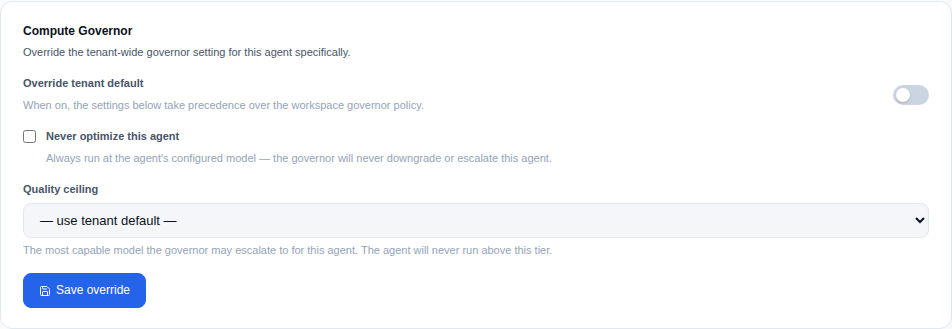
The quality-ceiling options are drawn from the governor's own routing pool, so the list stays in step with the model catalog. If a model you previously selected is later de-listed, the screen still shows your saved value so the setting is never silently changed.
When to override
- Leave the default for most agents: the governor saves budget automatically and the workspace policy is a sensible baseline.
- Turn on "never optimize" for an agent whose output quality must not vary run to run (for example, anything customer-facing or financial).
- Set a quality ceiling to allow some escalation but cap the cost, for an agent that occasionally needs more capability but should not reach for the most expensive model.
Tips
- Identity and model are separate choices: this screen covers the name, timezone, and governor routing, while the actual model lives on the AI provider screen (see Changing an agent's AI model or provider).
- For how model quality and pricing work across the managed catalog and BYOK, see Models: the Spark catalog vs your own key.
- The role in Use case, capabilities in Skills, and reference material in Knowledge together define how an agent behaves; tune all three for the best results.