Connecting integrations and channels
The Integrations hub is where you wire agents to chat channels, email and calendar, social accounts, automation tools, and API credentials.
The Integrations page (/channels) is the single hub for everything your agents can connect to: chat channels, email and calendar, social accounts, automation tools, and raw API credentials. It is organized as one categorized grid of tiles so you never have to dig through per-agent settings to answer "is Discord wired up for any of my agents?". Each tile shows a live count of how many agents have that service connected; click a tile to open a detail panel where you connect it or manage which agents use it. This article is the map of the cluster: what lives here, the three connection styles, and where each deeper task is documented.
What you can do
- See every connectable service in one categorized grid, each tile showing how many agents are connected.
- Connect chat channels (Telegram, Discord) by pasting a bot token, or Slack by OAuth.
- Connect email, calendar, and social accounts per agent through OAuth.
- Connect automation tools (Notion, GitHub, HubSpot, Jira) with an API key or token.
- Register API credentials for any external service and validate them before agents use them.
- Connect Google or Microsoft for egress so agents can send mail and update your calendar on your behalf.
Read the hub grid
Open Integrations from the left nav (route /channels). If no agents have finished setup yet, the page shows a prompt to hire or finish configuring an agent first, because every connection attaches to an existing agent. Once you have at least one configured agent, the grid renders.
- Tiles are grouped into Chat channels, Email & calendar, Social accounts, and Automation & tools.
- Each tile shows the service name and a status line: Not connected, or a green {n} agents count when one or more agents are wired to it.
- Tiles marked Coming soon are catalogued but not yet wired, so you can see what is on the way; they are not clickable.
- Click any active tile to open its detail panel directly below the grid.
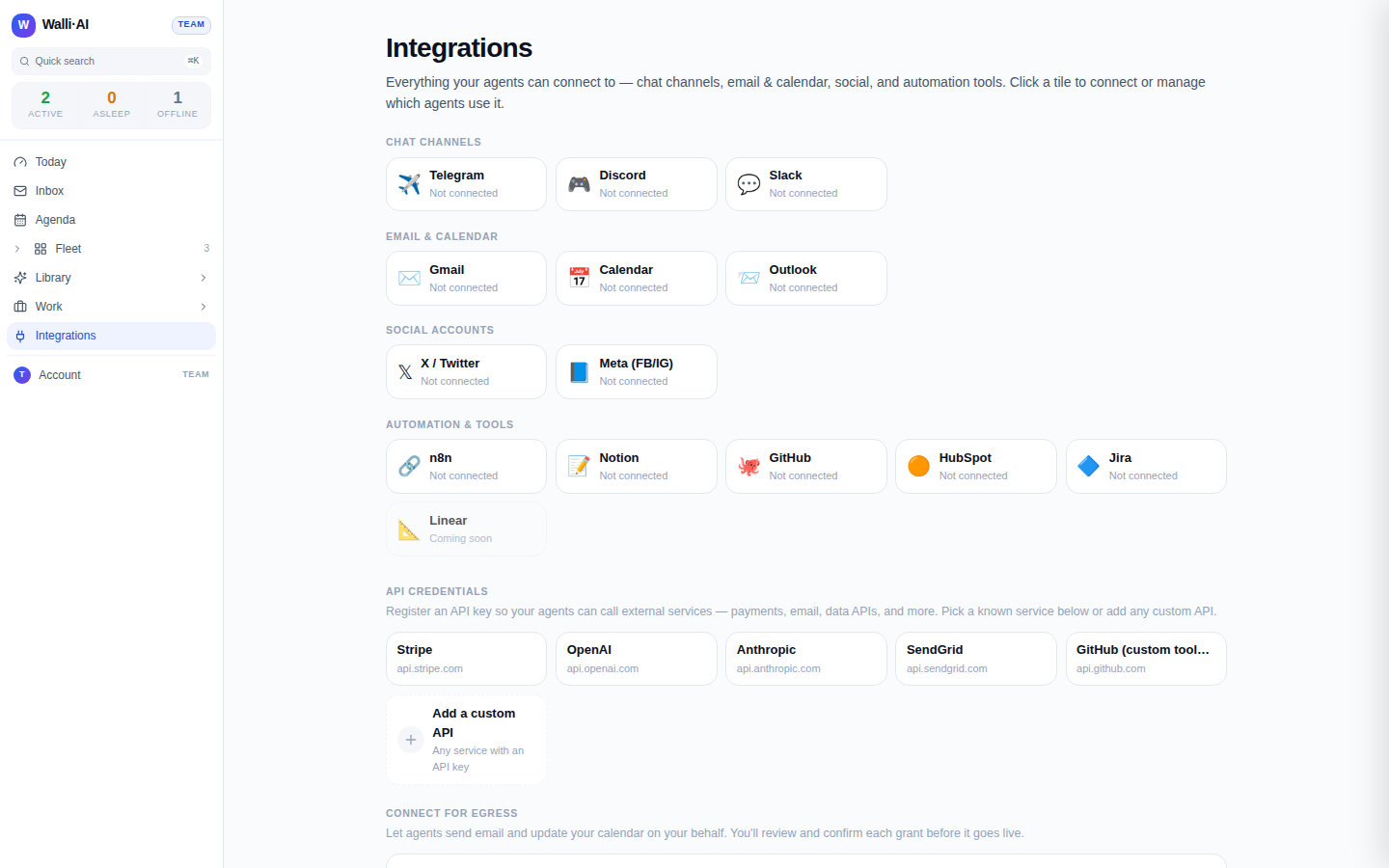
The demo workspace shown here has nothing connected yet, so every tile reads Not connected. On a live workspace, connected tiles carry a green agent count and a badge.
The three connection styles
Which panel you get depends on how the service authenticates. There are three styles, and knowing which one a tile uses tells you what to expect.
Bot token (chat channels). Telegram and Discord are connected by pasting a bot token into a setup modal. The detail panel lists the agents already wired to that channel and an Add another agent button that opens the modal with the channel pre-selected. See Chat channels.
OAuth, per agent. Slack, Gmail, Google Calendar, Outlook, X / Twitter, and Meta connect through an OAuth grant that is scoped to a single agent. The detail panel lists every configured agent with a Connect or Manage link that takes you to that agent's integration settings at
/agents/{id}/configure/integrations. See Email and calendar.API key / token (MCP). Notion, GitHub, HubSpot, and Jira connect with an API key or personal access token. Like OAuth, these are managed per agent from the agent's integration settings. See GitHub for agents.
Step-by-step setup, with the exact credential, scopes and what each one enables, is in these articles:
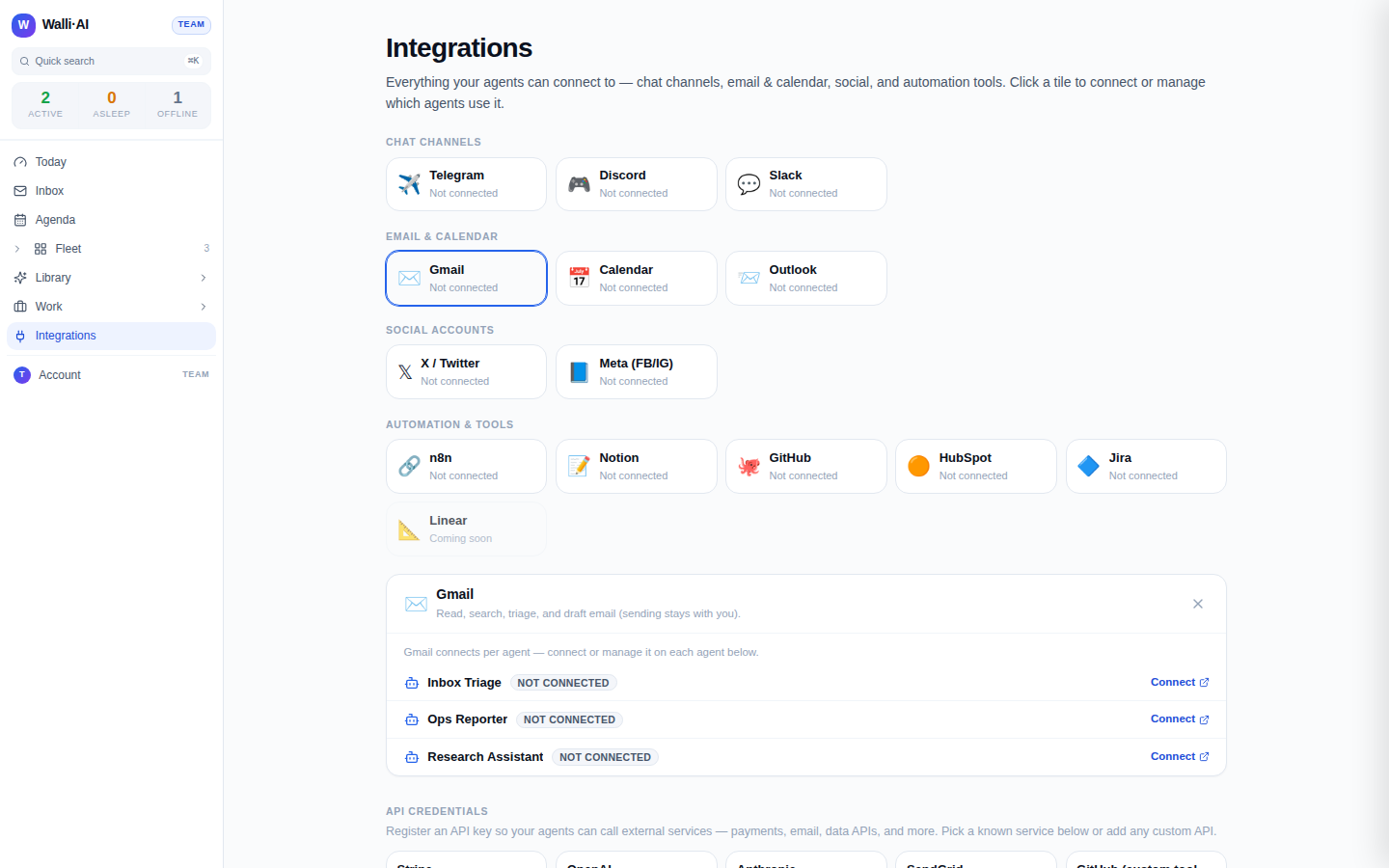
Because connections are counted per agent, the same service can be connected for one agent and not another. That is intentional: each agent can carry its own Google account, its own posting identity on social, or its own repository access, so a client-facing agent and an internal ops agent never share credentials by accident.
API credentials and egress
Below the integration grid, the hub has two more sections that handle raw credentials rather than named products.
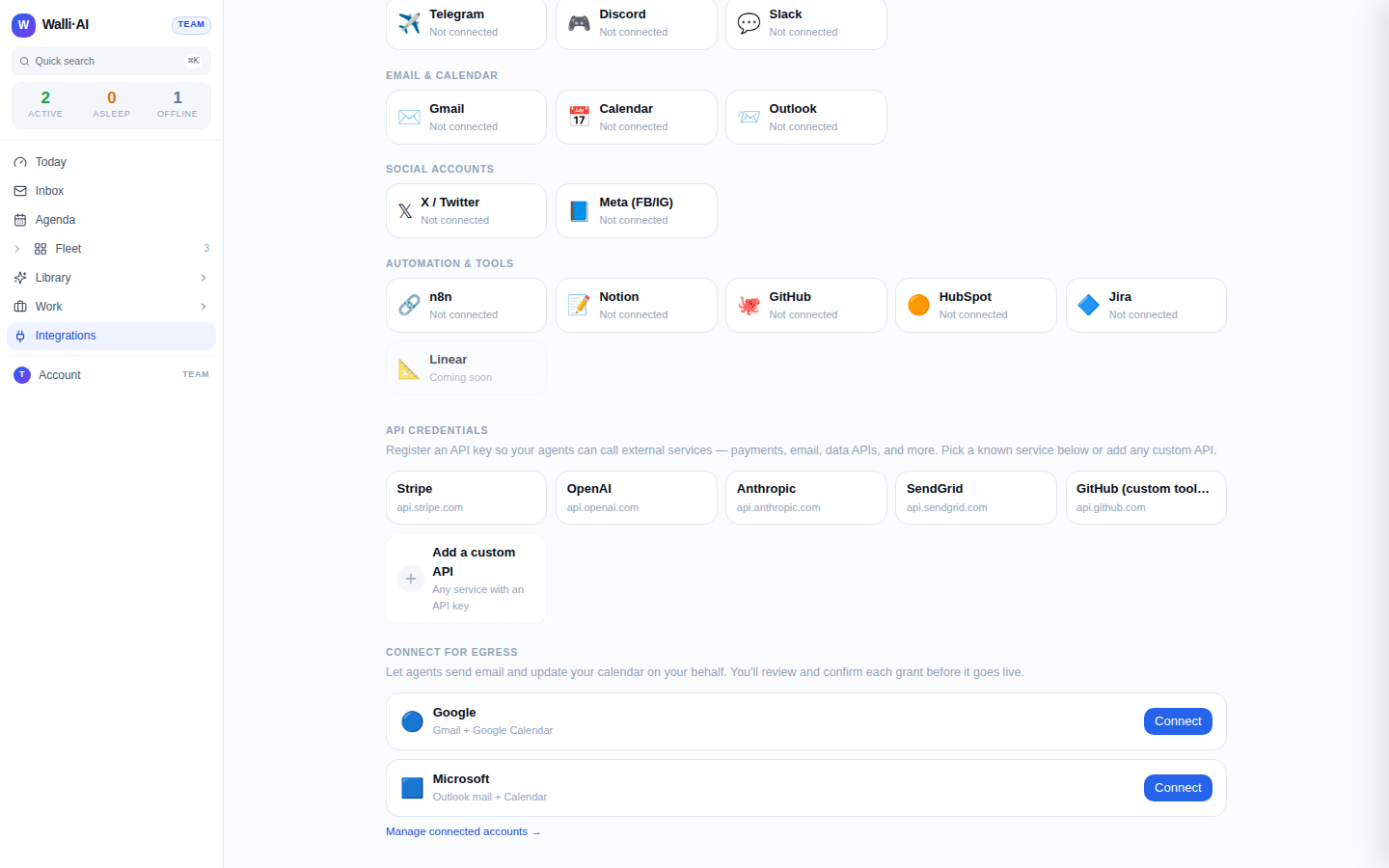
- API credentials. Register an API key so agents can call an external service directly: pick a known service from the catalog (Stripe, OpenAI, Anthropic, SendGrid, GitHub) or Add a custom API for anything else. Each key is validated the moment you save it, stored encrypted, and listed with a Verified or Invalid badge plus Re-test and Remove controls. See Credentials and secure egress.
- Connect for egress. Connect a Google or Microsoft account so agents can send email and update your calendar on your behalf. You review and confirm the exact permissions before the grant goes live, and you manage connected accounts on the dedicated
/settings/egress-credspage.
Tips
- The tile agent-count is the fastest way to audit coverage: a service showing Not connected means no agent can use it yet, even if a credential exists elsewhere.
- Connections survive independently of chat history. Disconnecting a channel or revoking an OAuth grant stops new tool calls but leaves the agent's past messages and deliverables intact.
- For automation tools, the GitHub tile that gives agents real GitHub tools is the API-key (MCP) one under Automation & tools, not the Stripe-style catalog key; the catalog GitHub key is only for direct REST calls.
- If you arrive from a suggestion card, the hub can deep-link straight to a tile with
?connect=<service>and scroll it into view for you.