Credentials and secure egress
Register API keys and OAuth grants so agents can call external services, validate each one before use, and cap how much they can send.
Credentials are how an agent reaches a service that is not one of the built-in integrations: a payments API, a transactional-email provider, a data API, or your Google and Microsoft accounts for sending mail. Walli-AI stores each credential encrypted, validates it before agents rely on it, and meters how much traffic it can carry. There are two kinds. Managed API credentials are keys you paste (Stripe, OpenAI, and the like); they live on the Integrations page. OAuth egress credentials are Google or Microsoft connections that let agents act on your behalf; they are managed on a dedicated settings page. This article covers registering and validating both, what secure egress means in practice, and how scope works.
What you can do
- Register an API key for a known service from the catalog, or add a custom API.
- Validate a key the moment you save it, so a bad key never reaches an agent.
- Store keys encrypted, with the secret masked and never shown again.
- Cap each credential's request rate and daily volume.
- Connect Google or Microsoft for egress, review the exact permissions, and disable or remove them anytime.
Register an API credential
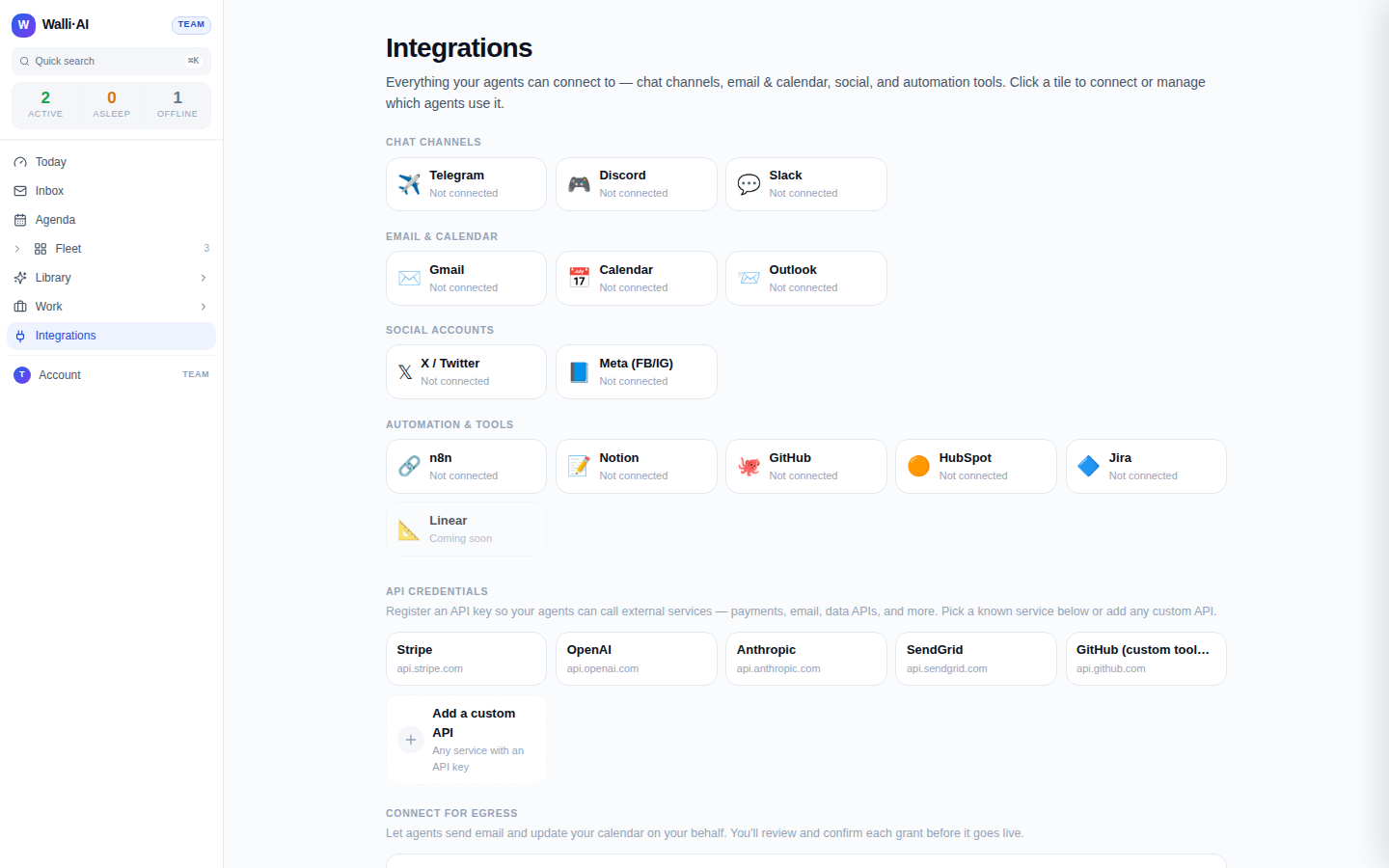
Managed API keys live on the Integrations page (/channels) in the API credentials section, below the integration grid.
- Pick a service from the catalog (Stripe, OpenAI, Anthropic, SendGrid, GitHub) or click Add a custom API for anything else.
- For a catalog service, the technical details (host and how the key is sent) are pre-filled; you only give the credential a name and paste the key.
- For a custom API, a plain-language flow asks three things: the API address (a URL, from which the hostname is extracted and allow-listed), how the key is sent (as a Bearer token, as a header, or in the web address, with the exact header or parameter name behind an Advanced disclosure), and the key itself.
- Click Validate & Save. Your key is saved, then a validation probe runs automatically.
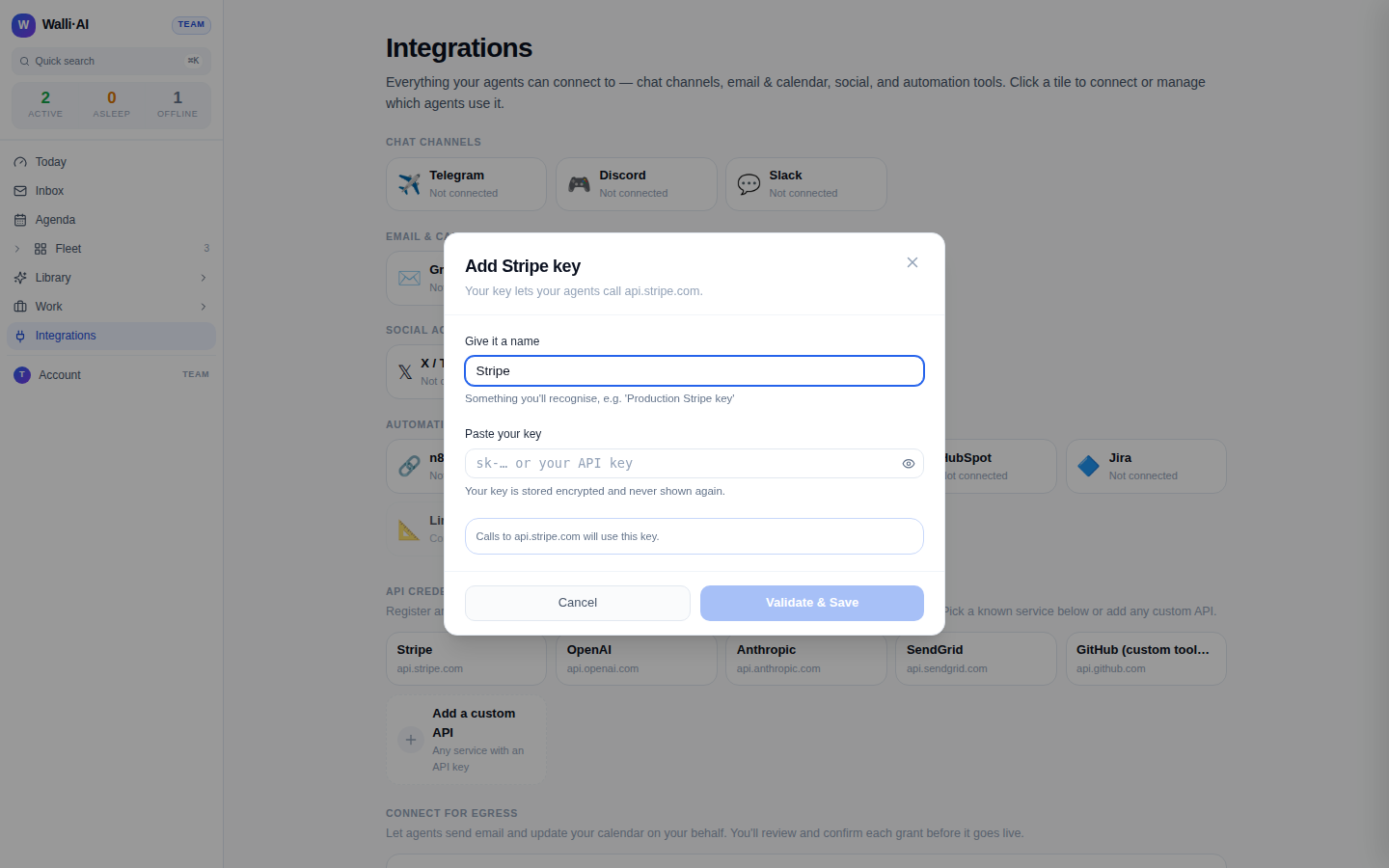
On the demo workspace shown here you can open the modal and see every field, but there is no live key to validate. On a real workspace, a good key returns a green Connected confirmation, often with the resolved account identity.
Validate, re-test, and remove
Validation is not a formality: it is a live call that confirms the key actually works before an agent depends on it.
- Right after Validate & Save, the modal shows Connected (green, with an identity where the service returns one) or a plain-language rejection telling you to double-check the key.
- Saved keys appear in the Saved credentials list, each with a Verified, Invalid, or Not tested badge.
- Re-test re-runs the probe at any time, which is how you confirm a key still works after rotating it upstream.
- Remove deletes the credential after a confirmation; any agent using it to reach that host loses access.
The catalog and the Add a custom API tile sit at the top of the section; saved keys appear in a Saved credentials list directly below once you add your first one.
What secure egress means
"Egress" is any outbound call an agent makes to the internet. Rather than handing agents raw keys, Walli-AI routes those calls through a broker that enforces a few guarantees.
- The key is never exposed to the agent. You store it once; the broker injects it into the outbound request (as a Bearer token, a header, or a query parameter) so the agent never sees the secret.
- Calls are allow-listed by host. A credential is bound to specific hostnames. The key for one service cannot be replayed against a different domain.
- Traffic is capped. Each credential carries rate and volume limits: a per-minute request rate, a daily request count, and a daily byte budget, editable per credential up to a hard platform maximum. This bounds the blast radius of a runaway loop or a mistaken prompt.
- Credentials are stored encrypted and can be disabled without deleting, so you can pause access and resume it later.
OAuth egress for Google and Microsoft
Sending email and writing to your calendar on your behalf is a higher-trust action, so it uses OAuth rather than a pasted key, and it has its own page.
- On the Integrations page, the Connect for egress section offers Google and Microsoft; connecting either starts an OAuth flow where you review the exact permissions first.
- Manage these grants on Settings, Egress credentials (
/settings/egress-creds). The page lists each connected account with its provider, the resolved account, the granted scopes as friendly chips (for example Gmail Send, Calendar R/W), and a status badge. - Each grant has Disable / Enable and Remove controls. A newly connected grant can sit in Pending confirm until you confirm it, so a connection never goes live without your explicit approval.
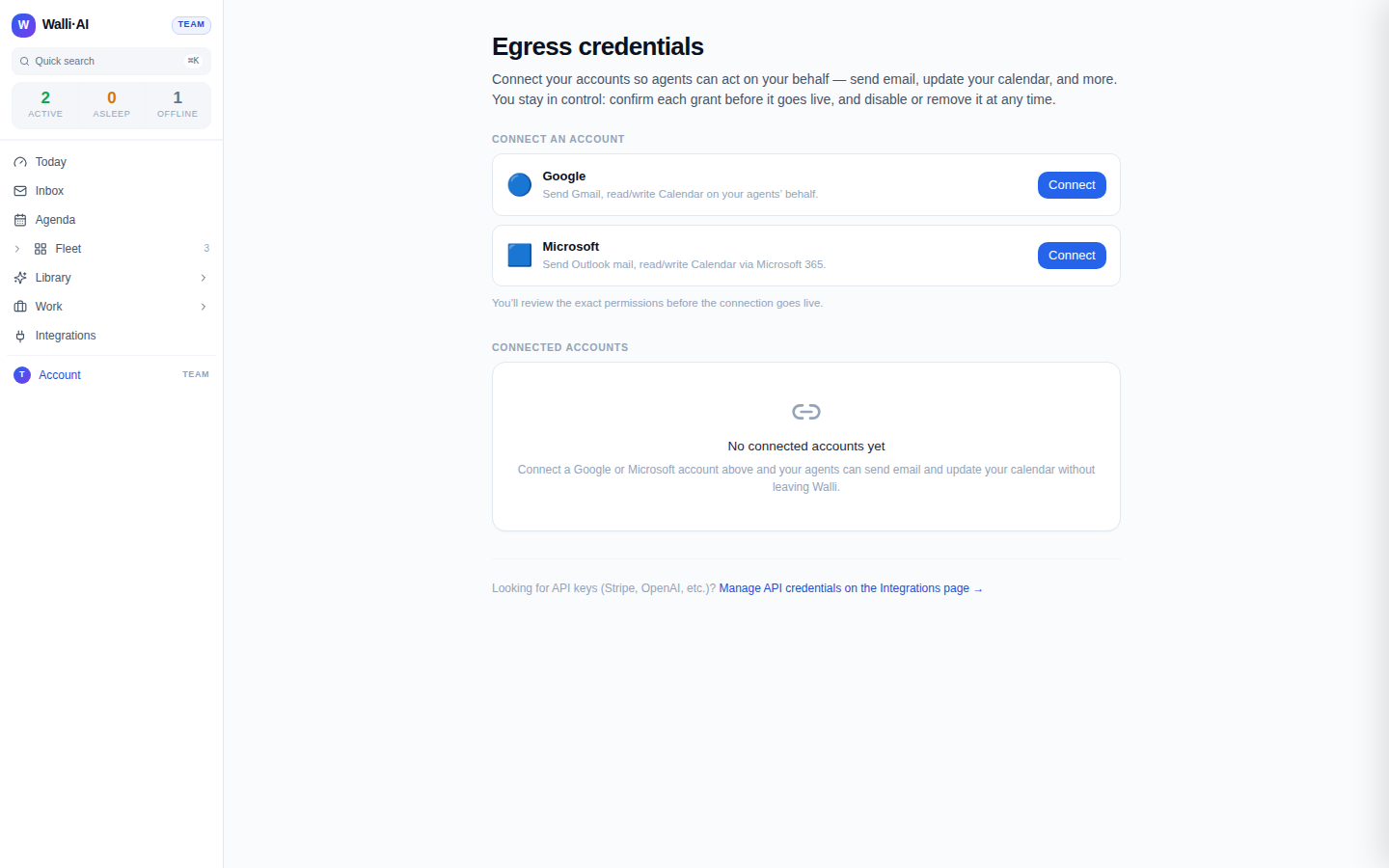
Removing an OAuth grant revokes it and deletes the stored tokens, so agents lose that access immediately.
Per-agent versus tenant scope
Knowing where a credential lives tells you who can use it.
- Managed API credentials and OAuth egress grants are tenant-scoped. Once saved, they are available to your agents through the broker; they are not tied to a single agent.
- The named per-agent integrations are different. The Gmail, Calendar, Slack, and social OAuth grants covered in Gmail and Google Calendar and Chat channels are scoped to one agent each, so each agent carries its own account.
In short: pasted keys and egress accounts are shared plumbing for the whole tenant; the product integrations you connect from an agent's own settings belong to that agent.
Tips
- Always let Validate & Save finish before assuming a key works; a green Connected is your proof, and a red rejection almost always means a truncated paste.
- Tighten a credential's caps to match real need: a low daily request count is a cheap guardrail against an accidental loop.
- Rotating a key upstream? Update it here and hit Re-test so the badge reflects reality.
- Looking for API keys after landing on the egress settings page, or the other way around? Each page links to the other, since the two credential kinds live in different places.