GitHub for agents
Connect GitHub with a personal access token so an agent can read repositories and code, then open issues, branches, and pull requests without ever committing to your default branch.
Connecting GitHub gives an agent a full read-and-write toolset over your repositories: it can browse repos, read files, search code, list and read issues and pull requests, and then open issues, create branches, commit files to a branch, and open a pull request. What it cannot do is push straight to your default branch: every change an agent publishes arrives as a branch plus a pull request you review and merge. GitHub connects with a personal access token (PAT) and is wired per agent, so each agent only sees the repositories its token can reach. This article covers connecting GitHub, the read and write tools, and how agent-authored pull requests behave.
What you can do
- Connect GitHub to an agent with a personal access token.
- Have an agent list repositories and read files, code, issues, and pull requests.
- Let an agent open issues and comment on issues or pull requests.
- Let an agent create a branch, write files to it, and open a pull request for review.
- Keep your default branch protected: agents never commit to it directly.
Connect GitHub to an agent
GitHub is an API-key integration (an MCP tool server), connected per agent.
- Go to Integrations (
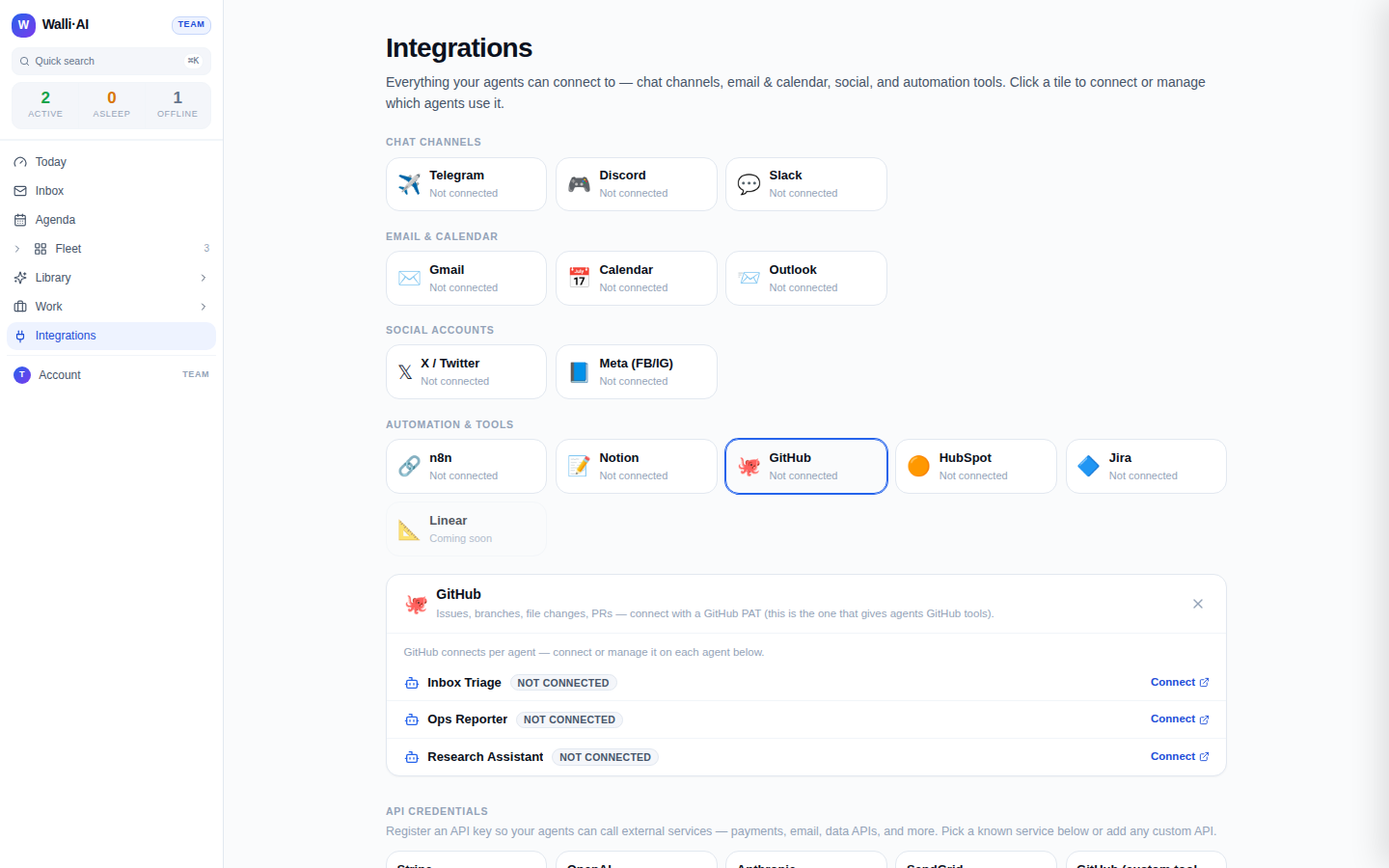
/channels) and find the GitHub tile under Automation & tools. Its blurb notes that this is the connection that gives agents GitHub tools. - Click the tile, then Connect next to the agent you want. That takes you to the agent's integration settings (
/agents/{id}/configure/integrations), where GitHub appears in the connectable tools list under Other tools.
- Create a personal access token on GitHub with access to the repositories you want the agent to work in. A fine-grained token scoped to just those repos is the safest choice; the token's own scopes decide what the agent can reach.
- Paste the token into the GitHub row and connect. The agent picks up the new tools on its next turn; there is no restart to wait for.
The demo workspace shown here has no token connected, so the tile reads Not connected. On a live workspace the tile shows a green agent count and the agent's tool list includes the GitHub tools described below.
Because the connection is per agent and driven by the token you paste, granting repositories is a matter of token scope: give a token access to two repos and the agent can act in those two, and no others. To change which repos an agent can touch, rotate its token for one with different access.
What the read tools do
The read side lets an agent understand a codebase before it changes anything.
- List repositories the token can see, filtered by your relationship to them (owner, collaborator, and so on).
- Get a repository for its description, default branch, and stats.
- List and get issues, filtered by state, to see what is open.
- List and get pull requests, again by state.
- Get a file at a path on any branch, tag, or commit.
- Search code across a repository to find where something lives.
This is enough for an agent to answer questions about a repo, summarize open issues, or locate the file it needs to edit.
What the write tools do
The write side is built around a strict pull-request workflow.
- Create an issue with a title, Markdown body, and existing labels.
- Add a comment to an issue or pull request.
- Create a branch from the default branch (or another ref).
- Put a file (create or update a single text file) on a branch. This tool refuses the default branch: an agent must commit to a non-default branch.
- Create a pull request from a head branch into a base branch (defaulting to the repository default branch).
The sequence an agent follows to publish a change is always the same: create a branch, write one or more files to that branch, then open a pull request. It never commits directly to main or your default branch, because the file-write tool rejects the default branch outright and publishing is pull-request only.
How agent pull requests behave
This design makes agent contributions safe to accept on your terms.
- Nothing lands without review. An agent's work arrives as a branch and a PR. You see the diff, run CI, and merge or close it yourself, exactly as you would for a human contributor.
- The default branch is never touched directly. Even a one-line fix goes through a branch and a PR. There is no path for an agent to force a commit onto your protected branch.
- Attribution and history are normal. The PR is a real GitHub pull request with a title and body the agent wrote, so your normal review, checks, and merge policies apply.
If you have protected-branch rules or required reviews on GitHub, they continue to apply on top of this: the agent's PR is subject to every gate a human PR would hit.
Tips
- Prefer a fine-grained PAT scoped to only the repositories an agent needs; the token is the whole security boundary, so keep its reach small.
- If an agent reports it cannot see a repository, the token likely lacks access to it: rotate the token rather than widening every agent's reach.
- The GitHub tile under Automation & tools is the one that gives agents GitHub tools; the Stripe-style GitHub key in the API-credentials catalog is only for direct REST calls and does not install the toolset.
- See Connecting integrations and channels for the hub overview and Credentials and secure egress for how tokens are stored and validated.