Plans, billing, and Spark vs BYOK agents
What Spark and BYOK agents cost, what each plan includes, and how AI Units and top-up packs work.
Walli-AI has two kinds of agents, and the difference is who pays for the model. Understanding that split is the key to reading your plan and your bill. This page explains Spark versus BYOK agents, what each plan includes, how AI Units and top-up packs work, and where to manage all of it.
What you can do
- Tell Spark and BYOK agents apart and know how each is billed.
- See what your plan includes and compare the four tiers.
- Top up your AI Unit budget with one-time packs.
- Manage your plan, packs, and payment method under Billing.
Spark vs BYOK agents
- Spark agents. Walli-AI runs the model on managed infrastructure and meters the inference against your plan's monthly AI Unit budget. No API key to manage. Different models draw from that budget at different rates: each model has its own price, and more capable models cost more per token.
- BYOK agents. You supply your own provider API key (Anthropic, OpenAI, Google, Mistral, Grok/xAI, Groq, or Together AI) and pay that provider directly. BYOK agents consume no AI Units.
Both kinds live side by side on your Fleet; you choose per agent on its AI provider screen (see Changing an agent's AI model or provider).
What the plans include
There are four plans: Solo, Team, Business, and Scale. They differ mainly by how many Spark and BYOK agents you get, how many seats, how much storage, and which account features are switched on.
| Plan | Price | Spark agents | BYOK agents | Seats | Storage |
|---|---|---|---|---|---|
| Solo | $29.99/mo | 1 | 1 | 1 | 10 GB |
| Team | $79.99/mo | 2 | 3 | 3 | 30 GB |
| Business | $199.99/mo | 4 | 6 | 10 | 75 GB |
| Scale | $449.99/mo | 8 | 10 | 15 | 200 GB |
Business and Scale additionally include SSO. Roles and permissions, and the audit log, are on every plan. Every plan starts with a short trial that requires a card up front.
AI Units and top-up packs
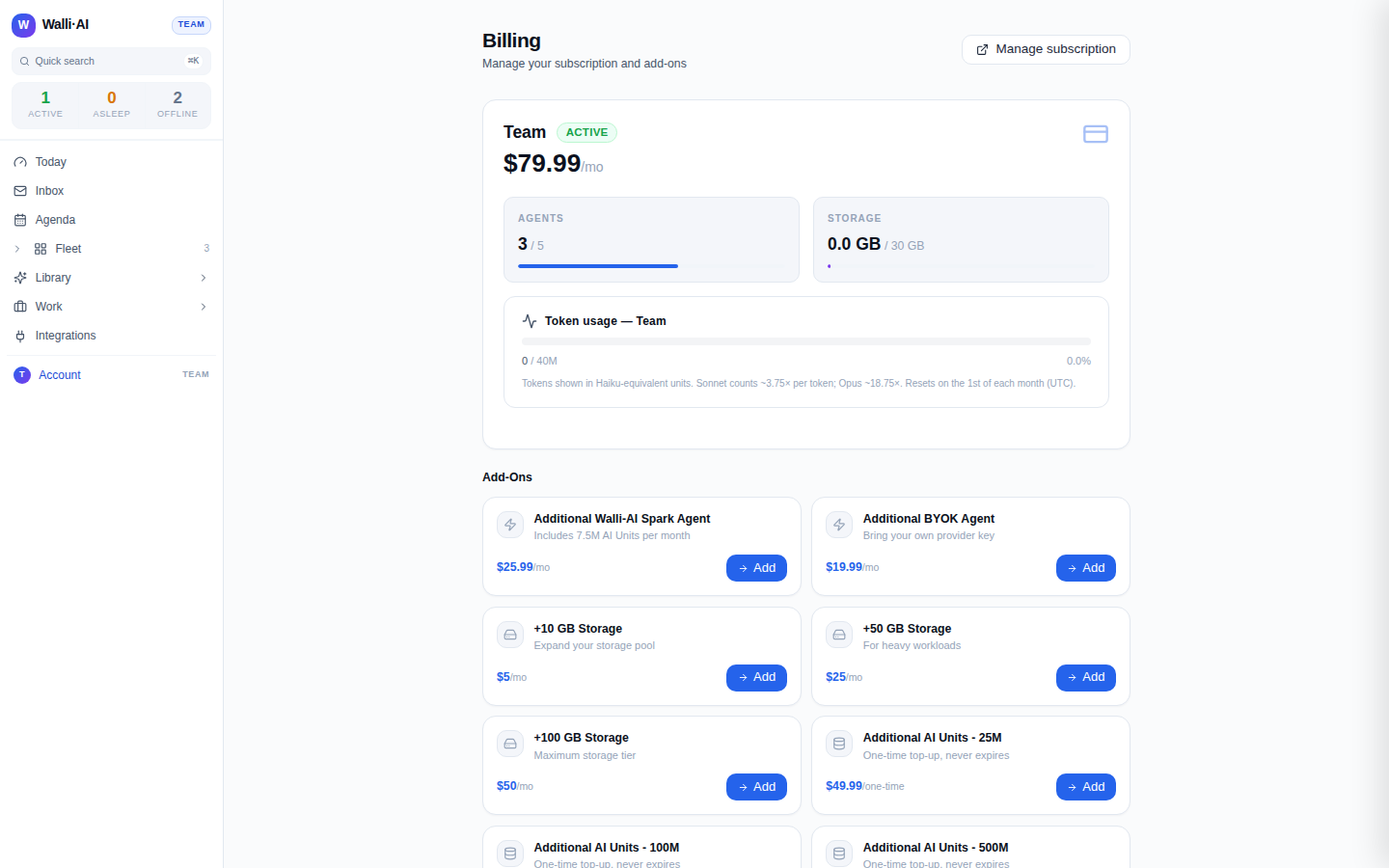
Your plan comes with a monthly AI Unit budget that Spark agents draw down as they work. If you need more in a given month, one-time AI Unit packs top it up and never expire:
- 25M units pack
- 100M units pack
- 500M units pack
Packs are additive to your monthly allowance and carry over, so buying one is a safe way to absorb a busy stretch without changing plans.
Usage is shown on the Billing screen in AI Units (one Unit is $0.000001 of model usage at the rate AWS bills Walli-AI), and the meter resets on the first of each month (UTC). Because different models cost more to run, every model burns AI Units at its own AWS-billed price. The Spark picker shows that price per 1M input and output tokens on each model card, so a model that costs more per token burns your budget faster than a cheaper one.
Add-ons
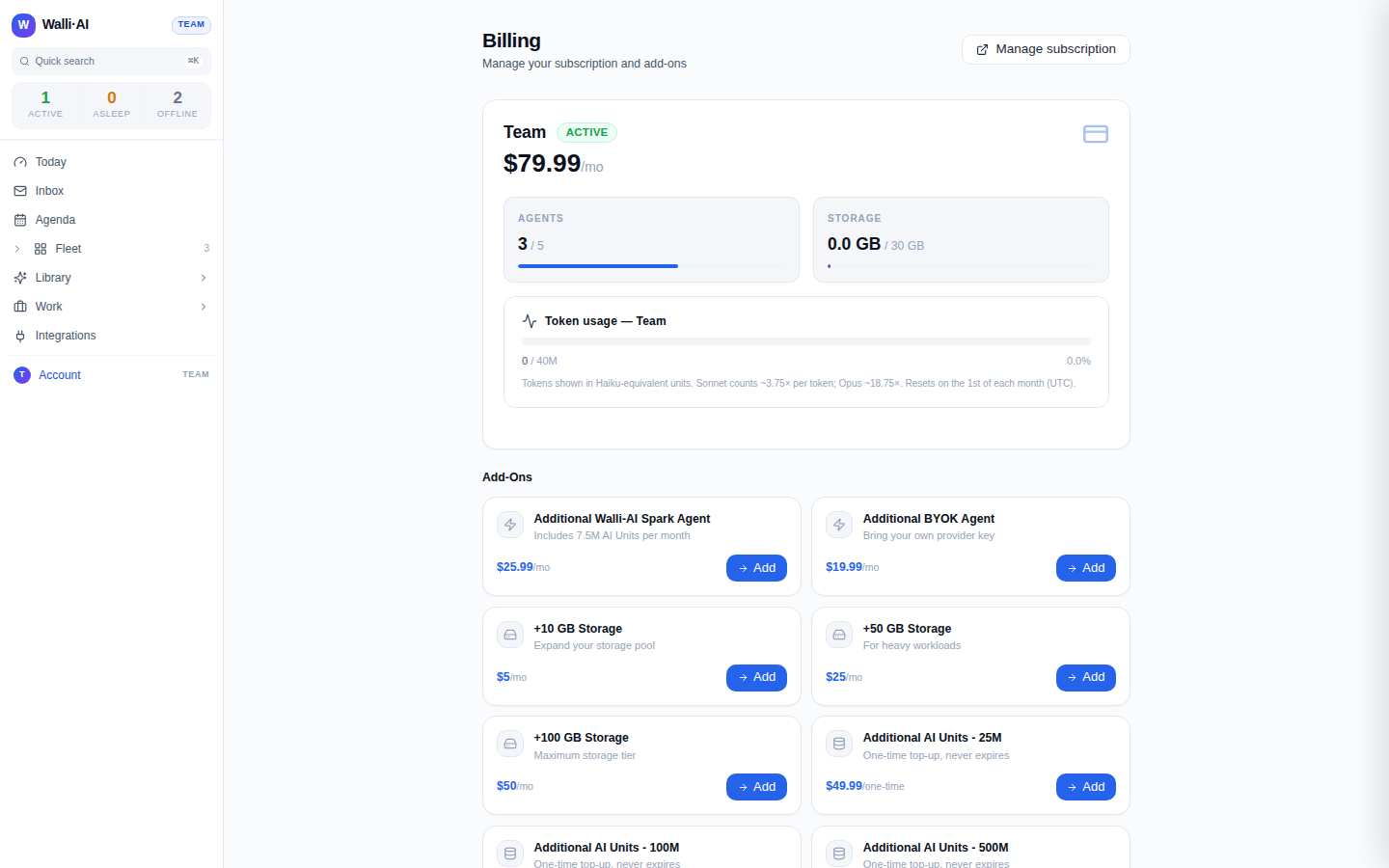
Beyond packs, the Billing screen offers add-ons you can attach to any plan:
- Additional Spark agent. An extra managed agent that comes with its own monthly AI Unit allotment.
- Additional BYOK agent. An extra agent that runs on your own key, with no allotment (you pay the provider).
- Extra storage. Add storage in blocks when your documents and outputs outgrow the plan's pool.
Add-ons let you grow one dimension (agents or storage) without jumping a whole tier, which is often the cheaper move.
New accounts start on a short trial that requires a payment method up front. The trial exists so you can reach a first real deliverable before deciding on a plan; you can change or cancel from the Billing screen at any time.
Manage your plan
- Open the avatar menu and choose Billing (
/billing). - From there you can change plan, buy AI Unit packs and add-ons, update your payment method, and see your current usage against your allowance.
If Hire agent is blocked on the Fleet, you have hit your plan's Spark or BYOK agent limit. Either free a slot by deleting an unused agent (see Managing agents) or move to a plan with a higher limit.
Tips
- Use BYOK for high-volume or specialised work where you already have a provider account; use Spark when you want zero key management and unified billing.
- Because packs never expire, a one-time pack is often cheaper than jumping a plan tier for a single busy month.
- Prices, allowances, and limits are always current on the Billing screen; treat that screen as the source of truth for your account.